Top 10+ Useful Affiliate Plugins For WordPress And WooCommerce

Affiliate Marketing is one of the most efficient ways to sell products online. Running an affiliate system in your WooCommerce Store will provide benefits such as Bring new customers to the site, Boost your sales, Free promotion etc.

Affiliate Plugins are essential to run a successful affiliate program in your WooCommerce Store. In this article, We have listed the Top 10 Affiliate plugins which include WooCommerce Native Affiliate Plugins and WooCommerce Compatible Affiliate plugins.

Uses of Having an Affiliate System in your WooCommerce Shop
1. Free Promotion to your site
Members[Registered users] can become an affiliate on your site and they can refer new users which leads in bringing more traffic to the site without any promotion.

2. Easy to Control
You may be able to control the whole affiliate system by setting the commission rates, create links and send payments to your affiliates.

WooCommerce Native Affiliate Plugins
1. SUMO Affiliates – WooCommerce Affiliate Plugin
2. YITH WooCommerce Affiliates
3. CBX Woo Coupon Referral Affiliate

WooCommerce Compatible Affiliate Plugins
4. SUMO Affiliates Pro – WordPress Affiliate Plugin
5. Magic Affiliate
6.Affiliates
7. WordPress Affiliate & Referral Plugin
8. Affiliate Royale
9. Ultimate Affiliate Pro WordPress Plugin
10 AffiliateWP
11. WP Affiliate Platform

WooCommerce Native Affiliate Plugins

1. SUMO Affiliates – WooCommerce Affiliate Plugin

SUMO Affiliates – WooCommerce Affiliate Plugin is a premium WooCommerce native plugin which allows members(logged in users) to become Affiliates and promote the products sold on the site. Whenever a user purchases a product by using an Affiliate Link, then the Affiliate associated with the link will earn commission for the purchase.

Some of the key features offered by this plugin are as follows,
– Affiliate Promotion through Affiliate link/code
– Separate Dashboard for Affiliates
– Link Generator for Affiliates
– Affiliate Link can be generated based on Affiliate Id/Name
– Refer a Friend form to refer new users to the site
– Validity of the Affiliate Cookie can be set
– Lifetime Affiliate Linking
– Order Status for Calculating Affiliate Commission can be set
– Multi-Level Affiliate Marketing
– Emails for All Affiliate Actions
– Unpaid Commissions can be exported to CSV File for PayPal Mass Payment
– Separate Table for Site Admin to manage the Affiliate Commission
– Highly Customizable

2. YITH WooCommerce Affiliates

YITH WooCommerce Affiliates plugin allows your affiliates to promote your products on their blogs and they earn commission for each successful purchase through their Affiliate Link.

Some of the key features offered by this plugin are as follows,
– Shortcode for affiliate registration
– Can set a general commission for affiliates
– Commission status changes automatically based on order status
– Total affiliate commissions can be reduced in case of refunds

3. CBX Woo Coupon Referral Affiliate

CBX Woo Coupon Referral Affiliate plugin helps you to run coupon based affiliate program in your WooCommere store.
In general, customers get discounts by using the WooCommerce coupon. By using this plugin, affiliate can be linked to coupon. When the customer buys products using this coupon, the affiliate will earn a corresponding commission and the customer will get the discount as well.

Some of the features offered by this plugin are as follows,
– Option to choose user role to assigned as affiliate
– Bind One user with one coupon
– Page for affiliate user

WooCommerce Compatible Affiliate Plugins

4. SUMO Affiliates Pro – WordPress Affiliate Plugin

SUMO Affiliates Pro is a comprehensive WordPress Plugin which supports WooCommerce and developed by FantasticPlugins. Using this plugin, you can allow both guest users and registered users to become affiliates to promote your site and products. You can award commissions for actions such as Account Sign Up, Affiliate Sign Up, Form Submission, Product Purchases, etc.

Some of the key features offered by this plugin are listed below,
– Affiliate system for WordPress
– Advanced integration with WooCommerce
– Affiliate commission for form submission through
i) Contact Form7
ii) Formidable Forms
iii) WP Forms
– Option for the user to directly become as an affiliate while creating an account through WooCommerce
– A separate table for the site admin to manage the affiliates
– Separate dashboard for the affiliate to manage the affiliate promotion
– Refer a friend form for affiliates
– Option for the site admin to identify the affiliate based on Affiliate ID/Affiliate Name
– MLM system for Affiliates
– Account Signup Affiliate Commission
– Affiliate Signup Commission
– WooCommerce Product Purchase Commission
– Site admin can process referral payment for their affiliates using any one of the payment methods listed below
i) PayPal Payouts
ii) Bank Transfer
iii) Affiliate Wallet
iv) Reward Points(Requires SUMO Reward Points)
– Compatible with SUMO Reward Points, SUMO Subscriptions, SUMO Payment Plans, SUMO Pre-Orders

5. Magic Affiliate

Magic Affiliate plugin helps you to set affiliate program in your WordPress Site. It can be integrated with WooCommerce and WP e-Commerce.

Few features of this plugins are
– Real-Time Reporting
– Unlimited Affiliates
– Recurring Commissions
– Optional Sign up Bonus
– Automatic Mass PayPal Payment

6. Affiliates

Affiliates plugin allows you to run a successful affiliate program in your store. This plugin comes in handy for sellers, bloggers and membership sites during a product launch, store promotion, etc. It is used to manage affiliates, create referrals and track visits to your site through affiliate links.

Some major features offered by this plugin are,
– Automated affiliate registration
– Unlimited affiliate management
– Can integrate Affiliates with any platform (e-commerce, forms, lead generation, memberships)

Affiliates WooCommerce Light is required to integrate Affiliates with WooCommerce

Check out Affiliates Pro which offers more features

7. WordPress Affiliate & Referral Plugin

Using WordPress Affiliate & Referral plugin, you can run an affiliate program and pay your affiliates using PayPal Mass Payment system. This plugin provides shortcodes for Facebook Send & Share buttons, Twitter Tweet button, LinkedIn button and Google+ +1 button. You can track referrals who signed up directly without using the shared link by setting a cookie. It is highly compatible with WooCommerce.

Some features offered by this plugins are as follows,
– PayPal Mass Payment option
– Enclosing shortcode for referral banners that work with any image
– Android App
– Default user profiles are extended with referral information
– Customize destination URL
– Email Notification for the Affiliate actions

8. Affiliate Royale


Affiliate Royale helps to run an entire Affiliate Program for your WordPress site. It is compatible with WooCommerce. When Affiliate Royale is installed, it automatically creates page for,
– Affiliate Sign up
– Affiliate Login
– Affiliate Management Dashboard

Affiliate Management Dashboard enables your affiliates to
– Edit their profile
– Observe their statistics
– Download their links & banners for the affiliate program
– View their payment history

9. Ultimate Affiliate Pro WordPress Plugin


Ultimate Affiliate Pro WordPress Plugin helps to run Affiliate Program on your WordPress site. It supports PayPal and Stripe Payouts. Ultimate Affiliate Pro WordPress is compatible with WooCommerce.

Some of the key features offered by this plugin are as follows,
– Unlimited Affiliates can be managed
– Supports Multi-level Marketing
– Lifetime Commissions
– Provides different Banners
– PayPal Payouts
– OptIn Integration

10. AffiliateWP


AffiliateWP enables affiliate marketing in your WordPress store. Referral tracking is possible through this plugin.

Few features of AffiliatesWP are,
– Accurate affiliate tracking
– Real-time reporting
– Unlimited affiliates
– Unlimited creatives
– Referral link generator

AffiliateWP supports famous plugins like WooCommerce, Easy Digital Download, Restrict Content Pro, PayPal, Stripe etc.

11. WP Affiliate Platform

WP Affiliate Platform is a complete Affiliate plugin for WordPress.

Features of this plugins are,
– Unlimited affiliates
– Recurring Commissions – For subscription payments via PayPal
– Simple banner and text link management
– Edit or Remove Affiliates
– Unlimited Banners and Creatives

Affiliates WooCommerce Advanced Integration is required to set commission for each product.

Top 20+ Best WooCommerce Shipping Plugins

Shipping plays an important role when you sell physical products in your WooCommerce Store. There are many WooCommerce Plugins available to make shipping process more efficient and effective. In this article we have listed the highly used WooCommerce Shipping Plugins.

1. WooCommerce Advanced Free Shipping

WooCommerce Advanced Free Shipping plugin allows you to set own rules to offer free shipping in your WooCommerce store. It also allows you to create advanced shipping rule using default shipping conditions such as Subtotal, Quantity, User role, Country, Zipcode, Shipping class, Category, Weight, Volume (Width / Length / Height).

2. YITH WooCommerce PDF Invoice and Shipping List

YITH WooCommerce PDF Invoice and Shipping List plugin helps you to generate PDF Invoices and Shipping List documents. It is highly customizable and it allows you to customize invoice number format, invoice template and shipping list template.

Few features of this plugins are
– Generate PDF invoices and shipping list documents.
– Auto-increment invoice number.
– Automatically or manually generated invoice documents.
– Generate invoices automatically depending on order status.
– Add PDF invoice as attachment of the email sent to the customer.
– Download invoices from customer’s order page.

3. Table Rate Shipping for WooCommerce

Table Rate Shipping for WooCommerce is a premium plugin using which you can set shipping rates based on the shipping destination, cart subtotal, item shipping class, price, etc.

4. WooCommerce Weight Based Shipping

WooCommerce Weight Based Shipping plugin allows you to calculate shipping cost based on order weight. You can create multiple rules based on order weight, subtotal and destination. It also provides a Free shipping option.

5. Flexible Shipping for WooCommerce

Using Flexible Shipping for WooCommerce, you can calculate shipping costs based on order weight and order total. It allows the logged in users to view certain shipping methods.

Following are some of the Key features provided by this plugin,
– Shipping cost based on cart total and/or weight
– Minimum and maximum values for cart total and/or weight
– Summing cost rules if they are matched – option to add costs based on cart total and weight at the same time
– Show selected shipping methods only for logged in users

Check out Flexible Shipping PRO – WooCommerce which offers more features.

6. WooCommerce USPS Shipping Method Plugin

WooCommerce USPS Shipping Method plugin integrates USPS(US Postal Service) shipping method with your WooCommerce store. It uses USPS API to calculate shipping rates based on shipping address and cart content.

Check out WooCommerce USPS Shipping Plugin with Print Label which offers more features.

7. WooCommerce – APG Weight and Postcode/State/Country Shipping

WooCommerce – APG Weight and Postcode/State/Country Shipping plugin determines the shipping costs based on weight and postcode, state (province) or country address. You can also charge additional cost as fixed amount or percentage based amount.

8. WooCommerce Advanced Shipping

WooCommerce Advanced Shipping is a premium plugin which allows you to configure different shipping rates for customers based on their location.

9. WooCommerce Table Rate Shipping by JEM

WooCommerce Table Rate Shipping plugin allows you to calculate shipping rate based on weight or cart-totals. It also allows you to charge additional cost along with calculated shipping cost.

Check out WooCommerce Table Rate Shipping – PRO which offers more features.

10. UPS WooCommerce Shipping Method Plugin

UPS WooCommerce Shipping Method plugin integrates UPS shipping method with your WooCommerce store. It uses UPS API to calculate shipping rates based on shipping address and cart content.

Check out WooCommerce UPS Shipping Plugin with Print Label which offers more features.

11. WooCommerce Hide Checkout Shipping Address

WooCommerce Hide Checkout Shipping Address plugin allows you to hide shipping address field when a specific shipping method is chosen. This feature can be turned on/off for each shipping method individually at their settings pages.

12. UPS Shipping method for WooCommerce

UPS Shipping method for WooCommerce is a premium plugin that integrates UPS shipping method with WooCommerce.

13. Fedex WooCommerce Shipping Method Plugin

Fedex WooCommerce Shipping Method Plugin let you integrate FedEx shipping method with your WooCommerce store.

14. Advanced Flat Rate Shipping Method WooCommerce

Advanced Flat Rate Shipping Method WooCommerce plugin is a flexible plugin to set multiple shipping rules. You can create shipping rules by using parameters like products, category, country, cart subtotal, shipping class, cart content etc.

Check out Advanced Flat Rate Shipping Method For WooCommerce premium version which offers more features.

15. Shipping Details Plugin for WooCommerce

Shipping Details Plugin for WooCommerce provides an option for the customer to track their shipment.

16. DHL WooCommerce Shipping Method

DHL WooCommerce Shipping Method plugin integrates DHL shipping service with your WooCommerce store. It displays all available DHL shipping services and allows your customers to choose the desired service.

Check out WooCommerce DHL Express / eCommerce / Paket Shipping Plugin with Print Label which offers more features.

17. WooCommerce Canada Post Shipping

Canada Post Postal service can be integrated into your store by using WooCommerce Canada Post Shipping plugin.

Check out WooCommerce Canada Post Shipping Plugin with Print Label which offers more features.

18. Shipping by Rules for WooCommerce

Shipping by Rules for WooCommerce plugin calculates shipping costs based on

– Order amount
– Order weight
– Quantity of Products
– Delivery Destination
– Volume or minimal and maximal extensions of the products

19. WooCommerce Shipping Pro with Table Rate

WooCommerce Shipping Pro with Table Rate plugin allows you to form multiple rules based on weight and country. You can group countries for configuring relevant shipping scenarios using this plugin.

Features offered by this plugin are,
– Shipping based on cart weight or order weight.
– Define shipping based on countries.
– Unlimited shipping based on shipping zones (country groups).
– Allow rates including taxes or exclusive of taxes.
– Feature to round off weight.
– Conditional Free Shipping & Flat Rates.

Check out WooCommerce Table Rate Shipping Pro Plugin which offers more features.

20. Woocommerce Shipping Gateway per Product

Woocommerce Shipping Gateway per Product plugin helps you to define specific shipping methods for each product.

21. WooCommerce Cart Based Shipping

WooCommerce Cart Based Shipping plugin allows you to charge different shipping rates for customers based on their cart contents.

Top 10+ Best PayPal Plugins for WordPress and WooCommerce

PayPal is one of the most used online payment method in the WooCommerce Store. It is preferred by both customers and sellers, because it provides 24/7 transaction monitoring, fraud prevention, seller protection help, safe transaction, etc. In this article, we have listed 15+ best PayPal plugins for WooCommerce and WordPress. They are,

1. WooCommerce PayPal Powered by Braintree Payment Gateway
2. WP Easy Paypal Payment Accept
3. SUMO Subscriptions – WooCommerce Subscription System
4. WooCommerce PayPal Pro Payment Gateway
5. PAYPAL CURRENCY CONVERTER PRO FOR WOOCOMMERCE
6. PayPal Plus for WooCommerce
7. PayPal Pro for Woo
8. Paypal.me – An offline payment gateway
9. PayPal Pro Payflow for Woo
10. PayPal for WooCommerce
11. PayPal Website Payments Pro for WooCommerce
12. PayPal Multiple Emails for WooCommerce
13. PayPal REST Credit Card for WooCommerce
14. PayPal Donations
15. PayPal Buy Now Button
16. WooCommerce PayPal Payouts

1. WooCommerce PayPal Powered by Braintree Payment Gateway

WooCommerce PayPal Powered by Braintree Payment Gateway plugin allows you to accept payments made through PayPal, Credit card and Debit card via Braintree Payment Gateway. The transactions are carried out on PayPal servers.

Some important features of this plugin are,
– Meets PCI Compliance SAQ-A standards
– Supports WooCommerce Subscriptions & Pre-Orders plugins
– Process refunds, void transactions, and capture charges right from within WooCommerce
– Ability to add multiple merchant IDs to support multi-currency when used with a currency switcher
– Supports Braintree Advanced Fraud tools and Kount Direct
– Supports 3D Secure if enabled in your Braintree account

2. WP Easy Paypal Payment Accept

Using WP Easy Paypal Payment Accept plugin, you can create PayPal Buy now buttons to accept PayPal Payments. Buy now buttons can be displayed in the sidebar, posts and pages of your site.

The Plugin allows you to
– Set the country code to use a particular language for the PayPal checkout page.
– Specify a payment subject for the payment widget.
– Accept the donation.
– Set custom button image for the payment button, etc.

3. SUMO Subscriptions – WooCommerce Subscription System

SUMO Subscriptions – WooCommerce Subscription System is a premium subscriptions plugin for WooCommerce. This plugin allows you to sell Subscription Products and Automatic Subscription Renewal can be configured using the PayPal Subscriptions API .

4. WooCommerce PayPal Pro Payment Gateway

WooCommerce PayPal Pro Payment Gateway is a free extension that adds on-site credit card checkout functionality to your WooCommerce site. To configure this plugin, you need to enable PayPal Pro gateway in WooCommerce settings and enter your PayPal Pro API details.

5. PAYPAL CURRENCY CONVERTER PRO FOR WOOCOMMERCE

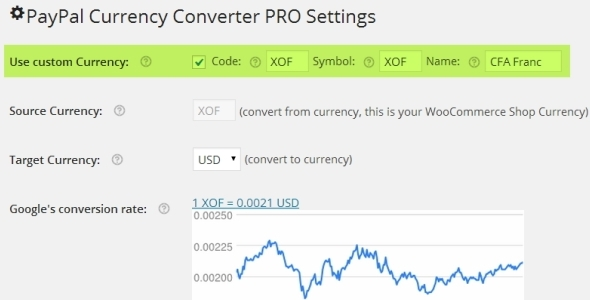
During checkout, PAYPAL CURRENCY CONVERTER PRO FOR WOOCOMMERCE plugin converts any given WooCommerce shop currency to allowed PayPal currencies for PayPal’s Payment Gateway. It automatically converts the shopping cart total, tax and shipping cost using Exchange Rates obtained from Open Exchange Rates API, Yahoo Finance, or European Central Bank. This plugin supports PayPal Digital Goods Gateway, PayPal Advanced, etc.

6. PayPal Plus for WooCommerce

PayPal Plus for WooCommerce plugin integrates all PayPal Plus payment methods(PayPal, Direct debit, Credit card and Pay upon invoice) into your WooCommerce shop. It is only available to customers who have their registered office in Germany. Other customers can make use of the payment methods PayPal and Credit card.

7. PayPal Pro for Woo

PayPal Pro for Woo plugin allows you to add PayPal Pro to your WooCommerce store.

Major features of this plugin are,
– PayPal testing through SandBox.
– Enable PayPal credit.
– Enable Send Item Details.
– Enable PayPal IPN

8. Paypal.me – An offline payment gateway

Using Paypal.me plugin, you can accept payments using PayPal.Me link or PayPal Email. This is an offline payment gateway and it also helps in collecting user’s information which can be used for marketing purpose.

9. PayPal Pro Payflow for Woo

PayPal Pro Payflow for Woo plugin integrates PayPal Pro Payflow gateway to your WooCommerce store.

Features offered by the Plugin
– PayPal testing through SandBox.
– Enable PayPal credit.
– PayPal Soft Descriptor.

10. PayPal for WooCommerce

PayPal for WooCommerce is a free plugin which helps to accept PayPal, Credit card and Debit card payments. It supports WooCommerce Payment Tokens. Also, it supports the following payment options,

– PayPal Website Payments Pro 3.0 (DoDirectPayment)
– PayPal Payments Pro 2.0 (PayPal Manager / PayFlow Gateway)
– PayPal Plus (Germany, Brazil, Mexico)
– PayPal Payments Advanced
– PayPal REST Credit Card Payments
– PayPal Braintree Credit Card Payments

11. PayPal Website Payments Pro for WooCommerce

PayPal Website Payments Pro for WooCommerce plugin allows you to accept Debit and Credit card payments from customers directly on checkout page via PayPal Payments Pro.

Features
– Adds Charge Id and Charge time to Order Note.
– It can work with test/sandbox mode.
– It does not need SSL.
– It does not store Credit Card Details.
– It is designed to work Only On REST API
– It supports to accept card types with dynamic card logo at checkout.

12. PayPal Multiple Emails for WooCommerce

PayPal Multiple Emails for WooCommerce allows you to accept PayPal Payments using second PayPal email address. This plugin also works with PayPal Standard.

13. PayPal REST Credit Card for WooCommerce

PayPal REST Credit Card for WooCommerce plugin allows you to accept credit card payments using PayPal REST API. To Configure this plugin you need to enable PayPal Credit Card Rest in WooCommerce settings and need to fill the required PayPal Credentials.

Features of this plugin are
– PayPal testing through SandBox.
– Enable PayPal credit.

14. PayPal Donations

PayPal Donations plugin let you add PayPal donation shortcode and sidebar Widget to WordPress. Using this plugin, you can use your own donation button on your site.

15. PayPal Buy Now Button

This PayPal plugin will allow you to sell products or services on your website using a PayPal Buy Now Button. It allows you to set cancel payment URL, successful payment URL, how the PayPal window opens, PayPal authorization mode – sale or authorize, etc.

16. WooCommerce PayPal Payouts

WooCommerce PayPal Payouts is a premium plugin developed by FantasticPlugins. Using this plugin, payments made by the user can be split into multiple PayPal Accounts(Maximum of 500 Receivers) per transaction. It works with the WooCommerce supported Payment Gateways.

It supports three types of Payouts. They are,
1. Automatic Payouts – The commission percentage specified by the admin will be automatically sent to the users.

2. Manual Payouts – The site admin has to manually send the commission to users.

3. Scheduled Payouts – Site Admin can schedule the commission for the users.

Features to be noted in this plugin are listed below,
– Allows to split the payments between a Maximum of 500 PayPal Accounts
– Payouts settings can be configured at Product Level, Category Level, and Global Level
– Payouts enabled products can be purchased through any Payment Gateways/Specific Payment Gateways
– Payouts settings can be hidden for specific User Roles
– Payouts can be processed for Renewal Orders[requires SUMO Subscriptions Plugin]

To know more about Popular WooCommerce Payment Gateways please check Top 25+ Popular WooCommerce Payment Gateway Plugins.

SUMO Dynamic Pricing Discounts – WooCommerce Discount Plugin

SUMO Dynamic Pricing Discounts is a feature rich and one of the Best WooCommerce Dynamic Pricing Discounts Plugins. We have listed more than 75 Reasons why it is a top WooCommerce Dynamic Pricing plugin.

Offering Discounts to customers is an important part of any marketing strategy. WooCommerce Dynamic Pricing Discounts Plugin can help in offering discounts to your customers in multiple ways.

List of 75 + Reasons

1. Most Comprehensive Dynamic Pricing Plugin for WooCommerce
2. Discounts can be offered to your customers in multiple ways
3. Supports simple products and variable products

Types of Discounts Offered

4. Quantity Discounts
5. Cart Total Discounts
6. Special Offers Discounts
7. User Role Discounts
8. Category/Product Discounts
9. SUMO Membership Discounts( Requires SUMO Memberships – WooCommerce Membership System Plugin )
10. SUMO Reward Points Earning Level Discounts( Requires SUMO Reward Points – WooCommerce Points and Rewards System Plugin )

Quantity Discounts

11. Product price discounts can be offered to customers who purchase products in bulk
Example:
Original Price: $10
Purchase more than 20 quantity and get one quantity at $8

12. Minimum quantity required for availing quantity discount can be set

13. The maximum quantity for availing quantity discount can be set or the maximum quantity can be set as unlimited quantities

14. Quantity Discounts can be offered if it matches anyone of the following conditions
– Specified quantity of the same product is purchased
– Specified quantity has been purchased from the other variations of the same product
– The total quantity of all the products in cart is greater than or equal to the minimum quantity required to get a discount
– The total quantities of all products which belong to a category is greater than or equal to the minimum quantity to get a discount

15. Following user restrictions can be configured in Quantity Discounts
– Discounts for all users
– Discounts for logged in users
– Discounts for guests
– Discounts for specific users
– Discounts can be restricted to specific users
– Discounts for specific user roles
– Discounts can be restricted to specific user roles
– Discounts for users who have purchased specific membership plans ( Requires SUMO Memberships Plugin – WooCommerce Membership System )
– Discounts for users who haven’t purchased specific membership plans ( Requires SUMO Memberships Plugin – WooCommerce Membership System )

16. Quantity discounts can be restricted based on the following purchase history options
– Minimum number of Successful orders has to be placed for availing a quantity discount
– Minimum amount which has to be spent on the site to avail a quantity discount

17. Following product, filters are available for Quantity Discounts
– Quantity Discount for all products
– Quantity Discount only for specific products
– Quantity Discount can be restricted to specific products
– Quantity Discount for products of specific categories
– Quantity Discount can be restricted to products of specific categories
– Quantity Discount for products with any tag
– Quantity Discount for products with specific tags
– Quantity Discount can be restricted to products with specific tags

18. Multiple quantity discount rules can be configured

19. Quantity discounts campaign duration can be scheduled

20. Quantity Discounts can be offered as
– % Discount on the product price
– Fixed amount discount on the product price
– Fixed price after reaching the minimum quantity

21. Quantity Discounts can be restricted to specific days of the week

22. Some of the ways in which Quantity Discounts can be used are as follows
– 20% Off for wholesale buyers on the product’s price on the purchase of 50 or more quantities
– 5% off on the product’s price for all logged in users, on a purchase of 10 or more quantities
– $10 off on product’s price for users who have successfully placed more than 10 orders

Cart Total Discounts

23. Cart total discounts can be offered to customers when they purchase more than a specified amount
Example:
10% Off on all orders above $200

24. Minimum cart total required for availing cart total discounts can be set

25. The maximum cart total for availing cart total discounts can be set or the maximum cart total can be set as unlimited quantities

26. Following user restrictions can be configured for Cart Total Discounts
– Cart Total Discounts for all users
– Cart Total Discounts for logged in users
– Cart Total Discounts for guests
– Cart Total Discounts for specific users
– Cart Total Discounts can be restricted to specific users
– Cart Total Discounts for specific user roles
– Cart Total Discounts can be restricted to specific user roles
– Cart Total Discounts for users who have purchased specific membership plans ( Requires SUMO Memberships Plugin – WooCommerce Membership System )
– Cart Total Discounts for users who haven’t purchased specific membership plans ( Requires SUMO Memberships Plugin – WooCommerce Membership System )

27. Cart Total Discounts can be restricted based on the following purchase history options
– Minimum number of successful orders has to be placed for availing a cart total discount
– Minimum amount which has to be spent on the site to availing a cart total discount

28. Following product, filters are available for Cart Total Discounts
– Cart Total Discount on any product purchased
– Cart Total Discount when any one of the selected product is purchased
– Cart Total Discount when any product apart from the selected product is purchased
– Cart Total Discount when all products in cart is associated with a category
– Cart Total Discount when any one of the products of the selected category is purchased
– Cart Total Discount when any product apart from the products which belong to the selected category is
purchased
– Cart Total Discount for products with any tag
– Cart Total Discount for products with specific tags
– Cart Total Discount can be restricted to products with specific tags

29. Cart Total discounts campaign duration can be scheduled

30. Cart Total discounts can be restricted to specific days of the week

31. Cart Total Discounts can be offered as
– % Discount on the cart total
– Fixed amount discount on the cart total

32. Multiple cart total discount rules can be configured

33. Some of the ways in which Cart Total Discounts can be used are as follows
– Purchase for more than $250 and get a 15% off on your cart total
– 5% off on your cart total for any T-Shirt purchased provided, the cart total is more than $100
– 10% off on your cart total for all logged In users on Fridays

Special Offer Discounts

34. Special Offer Discounts allows you to offer discounts such as
– Buy 1 Get 1 for Free
– Buy 2 Get 1 at 50% Off

35. Following User Restrictions can be configured for Special Offer Discounts
– Special Offer Discounts for all users
– Special Offer Discounts for logged in users
– Special Offer Discounts for guests
– Special Offer Discounts for specific users
– Special Offer Discounts can be restricted to specific users
– Special Offer Discounts for specific user roles
– Special Offer Discounts can be restricted to specific user roles
– Special Offer Discounts for users who have purchased specific membership plans ( Requires SUMO Memberships Plugin – WooCommerce Membership System )
– Special Offer Discounts for users who haven’t purchased specific membership plans ( Requires SUMO Memberships Plugin – WooCommerce Membership System )

36. Special Offer Discounts can be restricted based on the following purchase history options
– Minimum number of successful orders has to be placed for availing a special offer discount
– Minimum amount which has to be spent on the site for availing a special offer discount

37. Following product, filters are available for Special Offer Discounts
– Special Offer Discount on any product purchased
– Special Offer Discount when any one of the selected product is purchased
– Special Offer Discount when any product apart from the selected product is purchased
– Special Offer Discount when all products in cart is associated with a category
– Special Offer Discount when any one of the products in the selected category is purchased
– Special Offer Discount when any product apart from the products which belong to the selected category is purchased
– Special Offer Discount for products with any tag
– Special Offer Discount for products with specific tags

38. Multiple special offer discount rules can be configured

39. Special offer discount campaign duration can be be scheduled

40. Quantity discounts can be restricted to specific days of the week

41. Special Offer Discount can be applied to
– Same Product
– Products which belong to a specific category
– All Products except products in a specific category
– Products with any Tag
– Products with a specific Tag
– Products without a specific Tag

42. The quantity to be purchased for availing a discount can be set

43. The number of quantities for which the discount is applicable can be set

44. Special Offer Discounts can be offered as
– % Discount on the offer product
– Fixed amount discount on the offer product
– Fixed Price for the offer product

45. Some of the ways in which Special Offer Discounts can be used are as follows
– Buy any 2 T-Shirts and get the third one for free
– Buy any one albums and get the second one at 50% off
– All users who have placed more than 50 orders can get 1 T-Shirt for free for every purchase made

User Role Discounts

46. Product price discounts can be offered for customers who belong to a specific user role
Example:
Original Price: $10
Price for users with Customer user role: $9
Price for users with Wholesale Buyers user role: $7
Price for Guests: $10
Price for users with Shop Manager user role: $8

47. User Role discounts campaign duration can scheduled

48. User Role discounts can be restricted to specific days of the week

49. Following product, filters are available for User Role Discounts
– User Role Discount for any product purchased
– User Role Discount when any one of the selected product is purchased
– User Role Discount when any product apart from the selected product is purchased
– User Role Discount when all products in cart is associated with a category
– User Role Discount when any one of the products of the selected category is purchased
– User Role Discount when any product apart from the products which belong to the selected category is purchased
– User Role Discount for products with any tag
– User Role Discount for products with specific tags

50. User Role Discounts can be offered as
– % Discount on the product price
– Fixed amount discount on the product price
– Fixed price

51. Some of the ways in which User Role Discounts can be used are as follows
Original Product Price: $100
Price for Logged In Users – $80
Price for Guests – $95

Category/Product Discounts

52. Category/Product Discounts can be offered to customers for purchasing specific Products / Products which belong to a specific category
Example
Buy any book and get 10% off on the product’s price

53. Following user restrictions can be configured in Category/Product Discounts
– Category/Product Discounts for all users
– Category/Product Discounts for logged in users
– Category/Product Discounts for guests
– Category/Product Discounts for specific users
– Category/Product Discounts can be restricted to specific users
– Category/Product Discounts for specific user roles
– Category/Product Discounts can be restricted to specific user roles
– Category/Product Discounts for users who have purchased specific membership plans ( Requires SUMO Memberships Plugin – WooCommerce Membership System )
– Category/Product Discounts for users who haven’t purchased specific membership plans ( Requires SUMO Memberships Plugin – WooCommerce Membership System )

54. Following product, filters are available for Category/Product Discounts
– Category/Product Discount for any product purchased
– Category/Product Discount when any one of the selected product is purchased
– Category/Product Discount when any product apart from the selected product is purchased
– Category/Product Discount when all products in cart is associated to a category
– Category/Product Discount when any one of the products of the selected category is purchased
– Category/Product Discount when any product apart from the products which belong to the selected category is purchased
– Category/Product Discount for products with any tag
– Category/Product Discount for products with specific tags

55. Category/Product Discounts can be restricted based on the following purchase history options
– Minimum number of successful orders has to be placed for availing Category/Product Discounts
– Minimum amount which has to be spent on the site to avail a Category/Product Discounts

56. Multiple Category/Product discount rules can be configured

57. Category/Product discounts campaign duration can scheduled

58. Category/Product discounts can be restricted to specific days of the week

59. Category/Product discounts can be offered as
– % Discount on the product price
– Fixed amount discount on the product Price
– Fixed Price discount

60. Some of the ways in which Category/Product Discounts can be used are as follows
– 5% Off on product price on any mobile phone purchased
– $10 Off on any T-Shirt purchased

SUMO Membership Discounts

61. SUMO Membership Discounts can be offered for customers who have purchased specific Membership Plan(Requires SUMO Memberships Plugin)
Example
All users with Silver Membership Plan will get a 10% Off on the product price

62. Following product, filters are available for SUMO Membership Discounts
– SUMO Membership Discount for any product purchased
– SUMO Membership Discount when any one of the selected product is purchased
– SUMO Membership Discount when any product apart from the selected product is purchased
– SUMO Membership Discount when all products in cart is associated with a category
– SUMO Membership Discount when any one of the products of the selected category is purchased
– SUMO Membership Discount when any product apart from the products which belong to the selected category is purchased
– SUMO Membership Discount for products with any tag
– SUMO Membership Discount for products with specific tags

63. SUMO Membership discounts campaign duration can scheduled

64. SUMO Membership Discounts can be offered as
– % Discount on the product price
– Fixed amount discount on the product price
– Fixed price discount

65. Some of the ways in which SUMO Membership Discounts can be used are as follows
– 5% Off on T-Shirts for Gold Plan members
– $10 Off on any product purchased for Platinum Plan Members

SUMO Reward Points Discounts

66. SUMO Reward Points Discounts can be offered to the following users
– Users who have accumulated certain Reward Points
– Users who have earned certain Reward Points in the past
Example
All Users who currently have 100 Reward Points are eligible for 5% Off on all products.

67. Following product, filters are available for SUMO Membership Discounts
– SUMO Reward Points Discount for any product purchased
– SUMO Reward Points Discount when any one of the selected product is purchased
– SUMO Reward Points Discount when any product apart from the selected product is purchased
– SUMO Reward Points Discount when all products in cart is associated with a category
– SUMO Reward Points Discount when any one of the products of the selected category is purchased
– SUMO Reward Points Discount when any product apart from the products which belong to the selected category is purchased
– SUMO Reward Points Discount for products with any tag
– SUMO Reward Points Discount for products with specific tags

68. SUMO Reward Points discounts campaign duration can scheduled

69. The Minimum Points and Maximum Points for getting a discount can be configured

70. SUMO Reward Points Discounts can be offered as
– % Discount on the product price
– Fixed amount discount on the product price
– Fixed Price Discount

71. Some of the ways in which SUMO Membership Discounts can be used are as follows
– 5% Off on T-Shirts for Gold Plan members
– $10 Off on any product purchased for Platinum Plan members

Additional Customizations

72. Discount can be restricted to products which are on Sale

73. When a product’s price is modified by the SUMO Dynamic Pricing Plugin, Site admin has the option to
– Strike the original price and display the new price
– Replace the old Price with the new price

74. PO files provided for translation
75. WPML ready
76. Highly customizable
77. And more

You can purchase SUMO Dynamic Pricing Discounts – WooCommerce Discount System at codecanyon.

Best A/B Split Testing Plugins For WordPress and WooCommerce

A/B Testing Plugins for WordPress and WooCommerce allows the Site Admin to decide the best page variation that helps in achieving goals such as boost purchase, increase subscribers, etc. Some of the best WordPress A/B Testing Plugins are developed by Multidots, Inbound Now, Jason Funk etc.

What is A/B Testing?

A/B testing also known as Split testing is the process of comparing the performance of different web page variants. Different variations of a Web page is displayed to similar visitors at the same time. The Performance of the different variations is tracked.

How does it work?

Initially, the original web page is modified according to the preferences. The modified page will be the second version of the original page. The changes made can be smaller changes like an alternative title/alternate image or huge changes like a completely redesigned page. Customers might visit the original page or modified page and their attention given to the pages will be clearly monitored. So that, you will come to know the conclusion whether the modified page has gained a positive feedback or negative feedback.

Why should one use A/B Testing?

A/B Testing allows individuals, teams and companies to make careful changes to their user experiences while collecting data based on the results. It can be used consistently to improve the experience and goal like increasing the conversion rate over a period of time.

For example: If a company wish to increase their sales, then they should try A/B Testing to make changes on the alternate product title, feature image, short description, etc.

By changing one at a time helps to know whether the changes made had a huge effect on the customers or not. Based on this experiment, you can demonstrate the other improvement to make the product in a better way.

WordPress A/B Testing Plugins

Here we will see the Best free WordPress A/B Testing plugins,

1. WordPress Landing Pages

WordPress Landing Pages is a free WordPress Plugin developed by Inbound Now. It allows you to run A/B Testing (or) Split Test on landing pages of your WordPress site without any coding changes. It helps to determine the lead flow of the site, monitor and track conversion rate.

Some of the main features offered by this plugin are as follows,

  • Create beautiful Landing Pages
    Allows you to create Landing Pages on your WordPress site using templates.
  • Visual Editor
    The plugin comes with Visual Editor to preview changes dynamically.
  • Track conversion rates
    For Continuous optimization, Plugin allows tracking conversion rates on Landing Pages.
  • Pre-populate Forms
    Increase conversion rates by Pre-populate Form with Visitors data.

Check out the WordPress Landing Pages premium version which offers more features.

2. Title Experiments Free

Title Experiments Free plugin is developed by Jason Funk which helps to run A/B Testing on your page or post titles.

Some of the main features offered by this plugin are as follows,

  • Create Multiple Titles
    Multiple titles for each of your pages and post can be created.
  • Result of Experiments
    It provides the result of best Post/Page title variation with higher click-through rate.

Check out the Title Expirements premium version which offers more features.

3. Single Page Tester

Single Page Tester is a free plugin helps you to run the Split Tests in WordPress without making any changes in the code. Using this plugin, it is quite easy to create a split test for page or post.

Features offered by this plugin are as follows,

  • SEO Friendly
    Follows the Google Webmaster guidelines and recommendations.
  • Analytics
    Tracks unique visitors to each variation in a split test.
  • Cache Compatible
    Offer support for cache systems in WordPress.

Check out the Simple Page Tester premium version which offers more features

4. WordPress Calls to Action

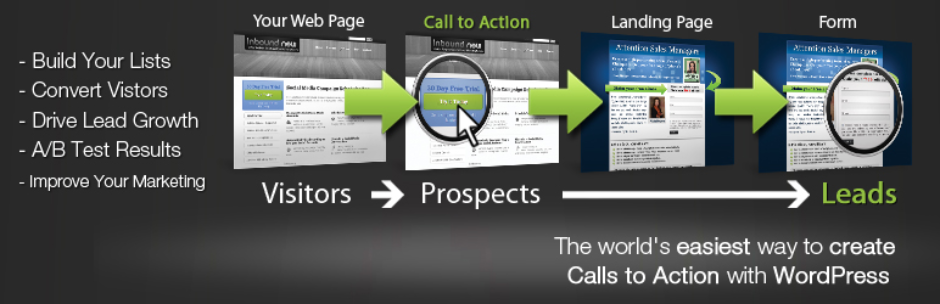
WordPress Calls to Action plugin is a free plugin which helps to run A/B Testing on Call To Action Buttons. This Free plugin allows creating the call to action using Templates.

Some of the main features offered by this plugin are as follows,

  • Create beautiful calls to action
    Allow you to create calls to action on your WordPress site using templates.
  • Visual Editor
    It comes with Visual Editor to preview changes dynamically.
  • Popups Calls to Actions
    Call to Actions in Popups can be created for improved conversion rates.
  • Track conversion rates
    For Continuous optimization, Plugin allows tracking conversion rates on calls to action.
  • Clone existing calls to action
    It allows you to run A/B Split tests on existing calls to action by cloning them.


5. WordPress And WooCommerce A/B Testing

WordPress and WooCommerce A/B Testing plugin is developed by Multidots. This Plugin helps you to create variations of any of your WordPress website pages and allow you to set how many percentages of visitors should see particular variations. Based on the settings, the plugin automatically divides the traffic to each variation you created. It provides analytics of each variation and determines which variation performs well.

Features offered by this plugin are as follows,

  • A/B testing experiments
    Allows to create A/B Testing experiments.
  • Create multiple variations
    Multiple variations of a particular Web page can be created and experimented.
  • Visual page editor
    The plugin comes with visual page editor to edit each variation.
  • Script editor
    The plugin comes with Script editor to add an additional script for each variation.
  • Instant control over the experiment
    Experiments can be turned On or Off at any instant.
  • View Result
    Result for each Experiment is provided by this plugin to find best working variation.


10 Best Medical WordPress WooCommerce Themes for Doctors, Hospitals, Clinics and Pharmacies

Medical or Healthcare Websites can be easily created using WordPress Themes. 10 Best Medical WordPress WooCommerce Themes for Doctors, Hospitals, Clinics and Pharmacies are explained in this article.

Most of the Medical or Healthcare WordPress Themes offers valuable features which may be needed by any Healthcare based Websites.

Some of the key features need to consider before selecting Medical/Healthcare theme,

  • Check for the doctor’s appointment form and timetable
  • Separate page template for doctor’s profile
  • Support for Google API to display the hospital location
  • Support with WooCommerce

Some of the best Medical WordPress Themes which are compatible with WooCommerce is as follows.

1. MediCenter – Responsive Medical WordPress Theme

Medicenter – Responsive Medical WordPress Theme is a WooCommerce premium theme which is developed by QuanticaLabs. It is highly suitable for doctors, health clinics, hospitals, etc. Setting up a shop to run pharmacy is quite easy. It is also suitable for any health or beauty related businesses like a medical laboratory, veterinary clinic, spa, etc.

The Theme has multiple page layouts, Ajax based contact form, Isotope Gallery, Google Map, smart sticky column etc. It includes Visual Composer and Slider Revolution Plugins. Medicenter is supported with RTL, WPML compatible, Translation ready with MO/PO files, Cross browser compatible theme. It has a responsive layout to adapt any device.

Using this theme, you can set the following features in your site

  • Appointment form
  • Doctor’s Timetable
  • Doctor’s Profile
  • Map
  • WooCommerce shop

Price: $59

Check out more details and purchase MediCenter – Responsive Medical WordPress Theme here.

2. Care – Medical and Health Blogging WordPress Theme

Care – Medical and Health Blogging WordPress Theme is a WooCommerce premium theme which is developed by MNKY.

It offers Boxed & Full-Width Layouts, Scalable Vector Icons With Builder Panel, Advanced Options Panel, Multiple Blog Layouts and Header Options. It also comes with Visual Composer, Timetable Responsive Schedule, and Slider Revolution plugins. Care supports WPML and RTL.

Using Care, you can set the following features in your site

  • Doctor’s Timetable
  • Doctor’s Profile
  • Map
  • WooCommerce shop

Price: $49

Check out more details and purchase Care – Medical and Health Blogging WordPress Theme here.

3. MedicalPress – Health and Medical WordPress Theme

MedicalPress – Health and Medical WordPress Theme is a WooCommerce premium theme developed by InspiryThemes.

This theme has various custom post types such as Doctors, Services, Gallery Items, FAQs, Testimonials. It has Google Map, AJAX Contact Form Support, Appointment form to manage online appointment. It is shipped with Visual Composer, Revolution Slider plugins and compatible with WooCommerce and WPML.

Using MedicalPress, you can set the following features in your site

  • Doctor’s Profile
  • Map
  • Appointment form
  • WooCommerce shop

Price: $59

Check out more details and purchase MedicalPress – Health and Medical WordPress Theme here.

4. Medical & Dentist – Medical WordPress

Medical & Dentist – Medical WordPress Theme is a responsive WordPress theme developed by vamtam. It is highly optimized for SEO. Visual Composer, Timetable Responsive and Revolution Slider plugins are bundled with the theme.This theme is compatible with major WordPress plugin such as Yoast SEO Plugin, bbPress, Total Cache, Contact Form 7, Gravity Form etc. It is supported with WPML and translation ready with PO/MO files.

Using Medical & Dentist, you can set the following features in your site

  • Doctor’s Timetable
  • Appointment form
  • Map
  • WooCommerce shop

Price: $69

Check out more details and purchase Medical & Dentist – Medical WordPress Theme here.

5. SoulMedic Health – Medical & Health Care Theme

SoulMedic is Modern WordPress/WooCommerce theme for Medical and HealthCare which is developed by designthemes. It has Multiple page layouts, shortcodes, and custom widgets. It also has inbuilt page builder to design beautiful pages and multiple design components such as a features lists, carousels, testimonials, pricing table, etc. It looks great on all devices due to its responsive design and retina graphics. SoulMedic is supported with WPML and RTL which makes easy to build multilingual sites.

Using SoulMedic, you can set the following features in your site

  • Map
  • Appointment form
  • WooCommerce shop

Price: $59

Check out more details and purchase SoulMedic Health – Medical & Health Care Theme here.

6. MediCure – Health & Medical WordPress Theme

Medicure is a Health and Medical WordPress theme is developed by cmsmasters. It has various shortcodes to build good-looking pages and custom form builder. Medicure is highly responsive, retina ready and has detailed Knowledgebase.

Using SoulMedic, you can set the following features in your site

  • Doctor’s Profile
  • Appointment form
  • WooCommerce shop

Price: $49

Check out more details and purchase MediCure – Health & Medical WordPress Theme here.

7. Healthflex – Medical Health WordPress Theme

Healthflex is a Premium WordPress/WooCommerce Theme which is developed by plethorathemes . Visual Composer plugin comes along with this theme. It can be easily integrated with Google Maps, Twitter and Flickr using their respective APIs.It is supported with WooCommerce, WPML, Ecwid Shopping Cart, Contact Form 7 and Mailchimp. Healthflex is highly Responsive and flexible theme to use. Some of the key features are OWL sliders, Lightbox functionality, Team Members shortcode, CV custom post type, One-Click Demo Import etc.

Using Healthflex, you can set the following features in your site

  • Doctor’s Profile
  • Appointment form
  • WooCommerce shop
  • Map

Price: $64

Check out more details and purchase Healthflex – Medical Health WordPress Theme here.

8. Clinico – Premium Medical and Health Theme

Clinico is a premium WooCommerce theme which is coded by CreativeWS. It provides wide and boxed layouts, predefined colour schemes, multiple widgets, page layouts, content elements, contact form, etc. Revolution Slider plugin is included with this theme. It supports Events Calendar Pro, WPML, WooCommerce, and Contact Form 7. It is compatible with various browsers.

Using Clinico, you can set the following features in your site

  • Doctor’s Profile
  • Appointment form
  • WooCommerce shop
  • Map

Price: $59

Check out more details and purchase Clinico – Premium Medical and Health Theme here.

9. Apicona – Health & Medical WordPress Theme

Apicona is Health & Medical WordPress/WooCommerce Theme developed by thememount. It includes Visual Composer and Revolution Slider plugins. Apicona supports WooCommerce, WPML, Mega Menu. It offers One Click demo content import, W3C validated code output, multiple Header styles, Unlimited skin colour, unique search page, custom child theme, etc. It is fully responsive and will respond on any device.

Using this theme, you can set the following features in your site

  • Doctor’s Profile
  • Appointment form
  • WooCommerce shop
  • Map

Price: $49

Check out more details and purchase Apicona – Health & Medical WordPress Theme here.

10. Physio – Physical Therapy & Medical Clinic WP Theme

Physio is a WordPress theme for Medical or Therapy related services developed by QreativeThemes. It includes a Drag and Drop Page Builder with it. Using Theme Customizer, it is easy to change the visual style of the theme and preview the changes. Physio supports Right to Left languages, translation ready and WPML compatible.

Using this theme, you can set the following features in your site

  • Appointment form
  • WooCommerce shop
  • Map

Price: $59

Check out more details and purchase Physio – Physical Therapy & Medical Clinic WP Theme here.

Best WooCommerce Refund Plugins

WooCommerce Refund System can provide an efficient way for managing refunds in your WooCommerce Shop. Some of the Best WooCommerce Refund Plugins are developed by YITH, StoreApps and FME Addons.

What is a WooCommerce Refund System

A WooCommerce Refund System allows the customers to contact the site admin when they need a refund without leaving the site. The site admin can respond to the refund requests and also issue refunds without leaving the site.

Existing Workflow for Refunds in a WooCommerce Shop

  • Customer purchase products from the shop
  • Customer feels that they need to return a product and request for a refund
  • They have to contact the site admin by sending an email
  • Site admin has to reply to the email and if the site admin decides to offer a refund for the purchase, then the site admin has to manually locate the order placed by the customer and then issue the refund.
  • Once the refund has been issued, the site admin will have to notify the customer manually who initiated the refund request.

Workflow for Refunds in a WooCommerce Shop with a Refund System

  • Customer purchase products from the shop
  • Customer feels that they need to return a product and request for a Refund
  • If the Customer has not exceeded the time for refund, then they can directly submit a refund request from their My Account Page stating the reason for the refund.
  • The submitted refund requests will be listed for site admin’s approval. Site admin can review the refund request and offer the refund in the form of currency or store credits which can be used for future purchases.
  • The site admin will also have the option of paying the refund amount directly to the customer’s account from the site.

Benefits of having a Refund System in a WooCommerce Shop

1. Easy Refund Process

  • Refund System makes the overall refund process easier. Your customers can easily request for refunds directly from the site.

2. Less chance of Losing a Customer

  • Most of the Refunds happen because the customer was not happy with their purchase.
  • Providing them with a proper way to get a refund will increase the chance of the same customer making a purchase again on your shop in future.

3. Guaranteed Future Sales

  • Providing Refunds in terms of Coupons/Store Credit will ensure that your customers will make future purchases in your site which in turn guarantees future sales.

4. Saves a lot of Time

  • Managing the Refund requests manually is a huge task for the Site Admins. A Refund System keeps track of all the refund requests and also allows you to pay for the same without leaving the site.

5. Gain the trust of your Buyers

  • Having a Refund System in place will allow the customers to buy your products with more confidence. They need not worry about how to get a refund when they need one.


Solutions available for Setting up a Refund System in Your WooCommerce Shop

1. YITH ADVANCED REFUND SYSTEM FOR WOOCOMMERCE

Price: $69

YITH Advanced Refund System for WooCommerce is a premium WooCommerce Plugin developed by YITH. This plugin helps in making the refund process easier for the Customers as well as the Site Admin

Some of the key features offered by this plugin are listed below,

  • Allow refund requests for a whole order or for a single product
  • Set a limit on the number of days within which customers can ask for a refund
  • Refund Requests can be Approved Automatically / Manually
  • Refund Amount can be paid Automatically / Manually
  • Refund Amount can be offered via Coupon Codes
  • Refund can be offered based on product quantities
  • Restock the product automatically upon Refund
  • Minimum Order Total Threshold for Refund Requests
  • Products can be configured as Non-Refundable Products

Check out more details and purchase YITH Advanced Refund System for WooCommerce

2. WooCommerce Smart Refunder

Customer Refund Request Form

Admin Manage Refund Form

Price: $79

WooCommerce Smart Refunder is a premium WooCommerce plugin which is developed by StoreApps. Some of the key features offered by this plugin are listed below

Features

  • Customers can request for refund from my account page
  • Customers can request full or partial refunds
  • Customers get instant refunds for their orders (Restricted to specific Payment gateways)
  • Site Admin can manually process the refund requests
  • Site Admin can issue cash refunds or store credits

Checkout more details and purchase WooCommerce Smart Refunder

3. WooCommerce Order Returns/Refund Plugin

Price: $59.99

WooCommerce Order Returns/Refund plugin is a premium WooCommerce extension developed by FME Addons. Some of the key features offered by this plugin are listed below

Features

  • Customers can submit refund requests from their My Account Page
  • Customers can state the reason for requesting a Refund
  • Customers can request for Full refund or for a partial Refund
  • Time duration for submitting a refund request can be customized
  • Refund amount can be offered as coupons

Check out more details and purchase WooCommerce Order Returns/Refund Plugin

4. Hoicker WooCommerce Refund

Price: Free

Hoicker WooCommerce Refund is a module in HOICKER plugin developed by HOICKER. Hoicker WooCommerce Refund allows your customers to Request Refund for their orders directly from their My Account page. You can manage all the Refund Requests in a single place which will ease up your work.

Features

  • Users can Request for Refund for complete Order or for Specific Products in an Order
  • Site Admin can Approve/Reject Refund Requests
  • Email Notification for all Refund Processes
  • Follow-up Messaging to avoid Refunding
  • Amount can be Refunded directly to Hoicker Wallet
  • Minimum Order Amount for Requesting Refund can be set
  • Tax Cost can be Refunded Optionally
  • Requesting Refund can be allowed only for specific days from placing Order

Check out more details and get Hoicker WooCommerce Refund here