Top 8 Best WooCommerce Product Extra Options Plugins

Are you planning to sell products which offer customization / Input from your customers on your WooCommerce Store, then WooCommerce extra product options is an easy way to achieve that. You can set the product price based on the options.

In this article, we have listed Top 8 Best WooCommerce Product Extra Options Plugins which are as follows,

1. Flexible Product Add-Ons Free WooCommerce
2. Extra Product Options (Product Add-ons) for WooCommerce
3. Woocommerce Product Add-ons
4. Improved Product Options for WooCommerce
5. Product Options for WooCommerce – Gutenberg Compatible WordPress Plugin
6. WooCommerce Product Add-Ons Plugin, Add Custom Product Options
7. WooCommerce Extra Product Options
8. YITH WooCommerce Product Add-Ons

1. Flexible Product Add-Ons Free WooCommerce

Flexible Product Add-Ons Free WooCommerce is a free plugin. Using this plugin, you can customize and add additional extra options for the products such as text fields, checkboxes, radio buttons, dropdowns and more.

Some of the important features are listed below,
– It has 7 add-on types to create unlimited input fields
– It allows you to set add-on groups before or after the add to cart button
– You can set additional fields as required or optional
– Add-Ons can be made visible in cart, checkout and admin section
– Duplicate add-on groups
– You can save field groups as drafts

Check out the PRO version which offers more features.

2. Extra Product Options (Product Addons) for WooCommerce

Extra Product Options (Product Addons) for WooCommerce is a free plugin. It allows you to add extra custom product fields like text fields, radio buttons, checkboxes, textarea fields, hidden fields, etc., to your WooCommerce product pages. Also, you can add, edit and delete the extra product fields on the WooCommerce product page.

Some of the features offered by this plugin are listed below,
– Using Extra Product Options you can add new fields to your product page
– You can edit, remove, enable, disable the WooCommerce extra product
– You can manage the display order of custom product add-ons
– You can reset all the changes made to the product add-ons with a single click

Check out the PRO version which offers more features.

3. Woocommerce Product Addons

Woocommerce Product Addons is a free plugin. It allows you to add custom fields to your WooCommerce product page by using extra product options. You can customize the WooCommerce product ordering page with custom product options or custom fields.

Some of the notable Features offered by this plugin are as follows,
– The plugin supports custom fields such as text field, number field, radio field, etc
– It allows you to drag and drop the custom fields
– It supports HTML tags to set Paragraph and Header in the product page

Check out the PRO version which offers more features.

4. Improved Product Options for WooCommerce

Improved Product Options for WooCommerce is a premium plugin which is developed by dzeriho. It allows you to add product options in the product page for the products on your Woocommerce shop.

It offers some major features which are listed below,
– It allows you to customize product attributes selectors and add custom options to your products
– It supports variable and simple products
– It supports add-on price for custom options
– Unlimited product add-on options
– It has global product options, specific options for products in a category and even individual product options

5. Product Options for WooCommerce – Gutenberg Compatible WordPress Plugin

Product Options for WooCommerce – Gutenberg Compatible WordPress Plugin is a premium plugins which is developed by WPShowCase. It allows you to add custom options such as radio buttons, color pickers, image options, number options, dropdowns, datepickers, image uploads, etc to your products on your shop.

Notable features offered by this plugin are as follows,
– You can add extra options to products
– It allows you to add prices to options
– You can allow multiple attributes to be selected in the same option
– It supports variable products
– Custom options selected in the products are displayed in the cart, checkout, order confirmation and order pages

6. WooCommerce Product Add-Ons Plugin, Add Custom Product Options


WooCommerce Product Add-Ons Plugin, Add Custom Product Options is a premium plugin which is developed by extendons. It allows you to add unlimited extra product options by using various custom fields types such as text area, text field, upload file, dropdown, checkboxes, multiple select, etc.

Key features to be noted in this plugin are as follows,
– It has 13 types of fields to create extra product options
– You can create product options at the product level
– It allows you to set price only once for each option
– Users selected custom options are visible on cart and checkout page and order page
– You can add custom images to radio buttons and checkboxes

7. WooCommerce Extra Product Options

WooCommerce Extra Product Options is a premium plugin developed by themecomplete. Using this plugin, you can create priced product options and add-ons, conditional logic, build forms, style & validate features, convert the variation attributes dropdowns to radio buttons, etc., Also, You can control the placement of your new fields with the Form Builder.

Some of the important features are listed below,
– It Fully supports checkboxes, radio buttons, select boxes, text-areas, input boxes, upload, etc.
– You can set the price based on variations per product options
– It has Global enabled options
– It has Form Fields Builder
– It allows you to hide or show prices
– You can change product image for radio buttons and check-boxes

8. YITH WOOCOMMERCE PRODUCT ADD-ONS

YITH WOOCOMMERCE PRODUCT ADD-ONS is a premium plugin developed by yith. It allows you to add extra options immediately on your products, such as checkbox, text area, uploader, radio button and etc on your WooCommerce shop.

It offers some major features which are listed below,
– It allows you to create groups of options
– It has custom fields such as checkbox, color, date, label
– You can set the dependency between add-on and product variation
– It supports both simple and variable products
– Limit file uploads
– Set the product price as fixed or percentage based on the options selected by the user

Top 8 Best WooCommerce Brands Plugins

Organizing the products on your WooCommerce Shop based on Brands is a smart way to increase sales on your WooCommerce shop. Customers who prefer to make purchases based on brands will be highly benefitted by this feature which helps to increase customer satisfaction and sales on your site.

Advantages

– It helps to increase customer’s satisfaction and sales on your site.
– It helps to promote your site without advertisement cost and increase new customers to your site.
– It helps your customers to filter the product based on their favorite brands

In this article, we have listed Top 8 Best WooCommerce Brands Plugins which are as follows,

1. Perfect WooCommerce Brands
2. Product Brands For WooCommerce
3. Brands for WooCommerce
4. Premmerce WooCommerce Brands
5. WooCommerce Brands
6. YITH WooCommerce Brands Add-On
7. WooCommerce Brands
8. Ultimate WooCommerce Brands Plugin

1. Perfect WooCommerce Brands


Perfect WooCommerce Brands is a free plugin. It allows you to add product brands to your WooCommerce site.

It offers some major features which are listed below,
– It allows you to assign brands to products
– You can associate a banner and a link to each brand
– It supports visual composer
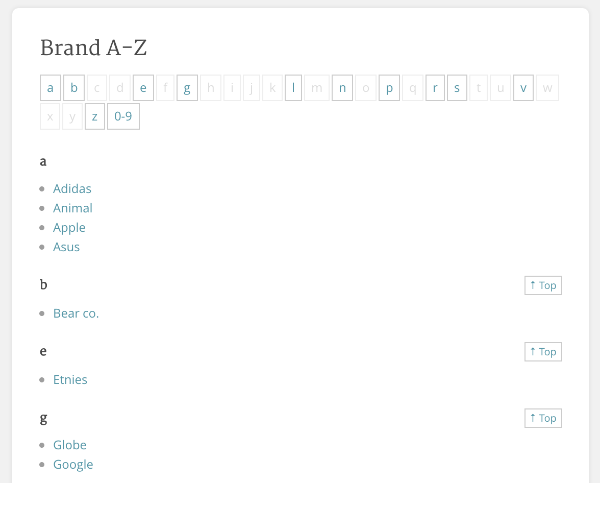
– It has shortcodes to display all brands, brands carousel, product carousel by brand, brands for a specific product, A-Z Listing
– Widgets to display brands as a dropdown, brands as the list (brand names or brand logos), filter products by brand
– You can display the brands in products loop

2. Product Brands For WooCommerce

Product Brands For WooCommerce is a free plugin. It can be used for creating brands for each product on your WooCommerce store. You can set name, description, and image for the created brands.

Some of the important features are listed below,
– Shortcode can be used to display thumbnails on a page
– Using a special layered nav widget, you can allow your customers to filter the products by brands
– It has automated / manual embed
– Custom HTML Template
– Custom Styling

3. Brands for WooCommerce

Brands for WooCommerce is a free plugin. It allows you to create and assign brands to your products on your WooCommerce store. Each brand’s name, description, and image can be customized.

Key features to be noted in this plugin are as follows,
– It allows you to set a custom image for brands
– Using shortcode, you can display products by brand ID
– Custom pages for brands
– Using shortcode, you can display products by brand ID
– Widget with links for brand pages
– You can display brand description and image on brand pages

4. Premmerce WooCommerce Brands

Premmerce WooCommerce Brands is a free plugin. Using this plugin, you can create unlimited brands and assign them to your products. You can allow your customers to view the products by brands and product search on your WooCommerce store.

Some of the important features are listed below,
– You can create, edit and delete the brands
– You can assign a brand to a product
– Widget for displaying selected brands on the site
– You can display the page of a particular brand and the possibility to sort products by category
– Semantic markup for the brand on the product page
– It has a shortcode to display the list of brands

5. WooCommerce Brands


WooCommerce Brands is a premium plugin developed by Woocommerce. It allows you to create and add brands to the products on your WooCommerce store. You can set name, description, and image for each brand. So customers to view the products by brand in addition to attribute filters.

Features offered by this plugin are listed below,
– Brands can be Listed, indexed, on a page using a special A-Z shortcode
– Shortcodes can be used to display thumbnails on a page
– Widgets to display the Brands on the sidebar
– Brands can be assigned to a product
– Dedicated layered nav widget

6. YITH WooCommerce Brands Add-On


YITH WooCommerce Brands Add-On is a premium plugin developed by yith. Using this plugin, you can allow your customers to filter and view a product by brands. You can set brands for any kind of products.

Some of the notable Features offered by this plugin are as follows,
– You can show a custom banner for your brand
– You can show brand name with logo
– It allows you to show your brands in a sidebar
– It has 9 different shortcodes to add brands to your pages

7. WooCommerce Brands

WooCommerce Brands is a premium plugin which is developed by proword. It allows you to add brands to the products and display brands with A-Z filter.

It offers some major features which are listed below,
– It allows you to display brands with A-Z filter
– Display brands list with Ajax Filter
– Display brands carousel(Vertical/Horizontal)
– It has 5 brand widgets
– It allows you to display brand thumbnails in a grid

8. Ultimate WooCommerce Brands Plugin

Ultimate WooCommerce Brands Plugin is a premium plugin which is developed by dedalx. Using this plugin, you can create unlimited brands and add brands with logos to your WooCommerce products on your site.

Notable features offered by this plugin are as follows,
– It allows you to create unlimited brands categories
– Shortcodes to list the brands, brands Slider, products by brand
– You can allow your customers to filter product by brands
– It allows you to display brand name or log on the product page
– WordPress Widget to show your brands list in Sidebars in different ways

Top 6+ Best WooCommerce Image Zoom Plugins

Image Zoom is an easy way to give an amazing viewing experience to your customers by allowing them to zoom the product images or any other images on your site. It helps your customers to observe clear information about the products before making a purchase on your site.

In this article, we have listed the Top 5+ Best WooCommerce Image Zoom Plugins which are listed below,

1. Image Zoom Pro for WooCommerce
2. Zoom magnifier for WooCommerce
3. WP Image Zoom
4. WooCommerce Image Zoom
5. YITH WooCommerce Zoom Magnifier
6. WooCommerce Product Image Zoom Plugin, Magnify Zoom on Hover & Click
7. WooCommerce Product Zoom Slider (Click-to-Zoom/Hover-to-Zoom)

1. Image Zoom Pro for WooCommerce

Image Zoom Pro for WooCommerce is a premium plugin developed by FantasticPlugins. Using this plugin, you can offer the following features to your WooCommerce Shop,

Zoom types

  • Default image zoom
  • Window zoom
  • Lens zoom

Mouse-wheel-zoom

Zoom in on product images and image galleries with your mouse wheel

Restrictions

Restrict which product’s images are eligible for image zooming

2. Zoom magnifier for WooCommerce

Zoom magnifier for Woocommerce is a free plugin. Using this plugin, you can allow your customers to zoom and view a product image. So they can see the product design or styles closely.

Some of the important features are listed below,
– You can Enable/Disable Zoom Magnifier Plugin
– It has the option to activate the plugin on Mobile
– It allows you to set Zoom Box Width and Height
– You can set Zoom Box Position (Inside or Right)

3. WP Image Zoom


WP Image Zoom is a free plugin. It allows you to create a magnifying glass on your images in your site. So, your visitors will be able to see the product images closely and can collect more details of your product from the images.

Notable features offered by this plugin are as follows,
– It has 4 types of zooming – Inner zoom, Round lens, Square lens and outer zoom (with Zoom Window)
– Animation Easing Effect – the zooming lens will follow the mouse over the image with a sleek delay
– It supports Fade Effect – zoomed part will gracefully fade in or fade out
– In post’s/page’s editor you’ll find a button for applying the zooming effect on any image
– It supports all WooCommerce products images
– It allows you to control the zooming lens size, border color, border size, shadow, rounded corner, and etc

4. WooCommerce Image Zoom

WooCommerce Image Zoom is a free plugin. Using this plugin, you can allow your users to zoom the product image on your WooCommerce store.

Some of the features offered by this plugin are listed below,
– It shows a bigger size of the product image on mouseover
– Plug & Play
– Work with all WordPress theme
– Developer friendly & easy to customize
– Powered by Elevate Zoom

Check out the PRO version which offers more features.

5. YITH WooCommerce Zoom Magnifier

YITH WooCommerce Zoom Magnifier is a free plugin. It allows you to provide zoom capability for the WooCommerce product images on your WooCommerce store. So it helps your customers to view product informations accurately.

Features offered by this plugin are listed below,
– It shows product image as bigger when hovering the mouse to the image
– Add a slider showing product image thumbnails
– You can customize zoom area width and height and the size of the image to show a zoomed image
– It allows you to enable or disable zoom on mobile devices
– You can customize the slider behavior

6. WooCommerce Product Image Zoom Plugin, Magnify Zoom on Hover & Click


WooCommerce Product Image Zoom Plugin, Magnify Zoom on Hover & Click is a premium plugin developed by extendons. Using this plugin, you can allow your customers to zoom the product image by hovering the mouse. Also, you can allow rotating the image at 360°.  The plugin is optimized properly for desktop, mobile, and other handheld devices.

Some of the important features are listed below,
– It allows you to set Zoom Box Size – Width and Height
– It has additional customization options for Magnifier Tool
– Lightbox Options for Product Images
– It has the option to rotate 360° of Product Images
– It allows you to set Magnifier or lightbox image zoom for the shop page
– You can exclude products or categories from image zooming feature

7. WooCommerce Product Zoom Slider (Click-to-Zoom/Hover-to-Zoom)

WooCommerce Product Zoom Slider (Click-to-Zoom/Hover-to-Zoom) is a premium plugin developed by FESTPlugins. It allows you to add the zoom option for WooCommerce product images. So, your customers can Zoom and view the product images while clicking or hovering the image.

Some of the key features offered by this plugin are as follows,
– It offers multiple zoom positions to view the product images
– It is optimized for mobile devices
– Asynchronous with progressive loading without delay to show the zoom image
– Hover-to-zoom the product image
– Click-to-zoom the product image

Top 5 Best WooCommerce Product Compare Plugins

Product Comparison is a smart way to allow your customers to choose a product by comparing similar products based on price, features, etc on your WooCoomerce Store.

Advantages
– It helps customers to choose the best products according to their needs
– It helps in increasing the customer’s satisfaction on your site
– It helps in increasing your sales and network traffic

In this article, we have listed the Top 5 Best WooCommerce Product Compare Plugins which are listed below,
1. Products Compare for WooCommerce
2. Woocommerce Compare Products
3. WPC Smart Compare for WooCommerce
4. YITH WooCommerce Compare
5. Compare Products with WooCommerce

1. Products Compare for WooCommerce

Products Compare for WooCommerce is a free Woocommerce plugin. Using this plugin, you can allow the customers to compare the products based on price, attributes, etc. Customers can add the products to the compare list and view the products in the comparison table.

Some of the important features are listed below,
– It allows you to create a comparison page on your site
– Add to compare button on the shop page
– Customization is available for buttons and comparison page
– It has a product comparison widget
– It supports custom URL for all the comparison pages

2. Woocommerce Compare Products


Woocommerce Compare Products is a free WooCommerce plugin. it allows your customers to add the products to a compare widget basket and they can compare the products based on side-by-side, feature by feature, price-by-price.

Key features to be noted in this plugin are as follows,
– It allows comparison of product variations
– It has the option to show or hide the compare feature on product cards or product pages
– Compare Widget and Compare Table pop-up will be in sync
– Customers can save and print the compare table
– Comparison table allows many products to be compared at the same time

3. WPC Smart Compare for WooCommerce

WPC Smart Compare for WooCommerce is a free Woocommerce plugin. It allows you to set products comparison in a separate page on your WooCommerce shop. Also, your customers can rearrange the comparing products by dragging and dropping the products in compare table.

Features offered by this plugin are listed below,
– Powerful AJAX functions
– It allows drag/drop to rearrange products
– You can set selected categories of products to compare
– Logged in users can save their product comparison list
– It is fully responsive in touch devices

4. YITH WooCommerce Compare

YITH WooCommerce Compare is a premium plugin developed by yith. Using this plugin you can allow the customers to compare the products with the features in a single table.

Notable features offered by this plugin are as follows,
– You can customize the product comparison table
– You can allow customers to create a comparison of products and can share that on Facebook, Twitter, Google+
– It allows you to exclude specific product categories from product comparison
– It allows the customer to compare the products based on the categories
– It has the option to show the related products on the product comparison page

5. Compare Products with WooCommerce

Compare Products with WooCommerce is a premium plugin which is developed by bolderelements. Using this plugin, you can allow your customers to compare the products by price, features, etc by dragging and dropping the products. Using shortcode you can display the features in a separate tab on the product page or any other page.

Some of the features offered by this plugin are listed below,
– It supports drag and drop to compare the products
– Customers can add, delete and save the compared products list
– You can add WooCommerce attributes for selected products
– You can set to display the rows only where there are differences
– It allows you to display the features list as a tab on the single product page
– You can show a compare table on a page or via popup window in your website

Top 10 Best WordPress WooCommerce Membership Plugins

By using Membership Plugins, you can give access to your users to view the restricted area such as content blocks, pages, post, etc on your site only when they purchase the corresponding Membership Plans.

Advantages:
– You can control the users to access the content on your website
– You can generate a consistent and reliable stream of income
– You can create loyal customers base for your website

In this article, we have listed the Top 10 WordPress WooCommerce Membership Plugins which are listed below,

1. Ultimate Member – User Profile & Membership Plugin
2. WP-Members Membership Plugin
3. Restrict User Access – Membership Plugin with Force
4. Paid Memberships Pro
5. Simple Membership
6. WooCommerce Memberships for Multivendor Marketplace
7. Membership & Content Restriction – Paid Member Subscriptions
8. SUMO Memberships – WooCommerce Membership System
9. WooCommerce Membership
10. YITH WooCommerce Membership

1. Ultimate Member – User Profile & Membership Plugin

Ultimate Member – User Profile & Membership Plugin is a free WordPress plugin. Using this plugin, you can allow the users as members to access the plan by registering on your site.

Some of the important features are listed below,
– You can create own profile for each user
– You can restrict content to the users logged in or out
– It allows sending emails to the users for their actions such as account creation, approval, password reset etc

2. WP-Members Membership Plugin


WP-Members Membership Plugin is a free WordPress plugin. Using this plugin, you can create a membership for the users on your site. It allows only members to access restricted content.

Main features offered by this plugin are listed below,
– It allows creating custom registration and profile fields
– Notification is available when the new user registered on the site
– You can hold the new registration of users
– It allows hiding posts, pages, and custom post types
– You can create post excerpt teaser content automatically

3. Restrict User Access – Membership Plugin with Force

Restrict User Access – Membership Plugin with Force is a free WordPress plugin, using which you can create the membership for the users based on the different levels such as Gold, Silver, and Bronze.

Key features to be noted in this plugin are as follows,
– Level Edit screen is used to add the user manually to a specific Access Level
– It allows to restricts content for the users does not belong to that access level
– You can add membership durations for the users
– Redirect unauthorized users to a page or custom link
– It allows restricting all your posts, pages, categories, or any content you want

4. Paid Memberships Pro

Paid Memberships Pro is a free WordPress plugin. Using this plugin, you can manage the membership subscription for your site. You can create the membership for content sites, clubs/associations, subscription products, newsletters etc.

Main features offered by this plugin are listed below,
– It allows customization for the reports and member dashboards
– It has the option for the content restriction
– You can create private social communities for unique interest groups
– You can offer the discount products to the membership holders
– It allows affiliates to get credit for membership checkouts

5. Simple Membership

Simple Membership is a free WordPress plugin. It allows creating a membership for your site users. You can protect your post and pages. Also, it allows only your members to view the protected content.

Some of the important features are listed below,
– You can show teaser content to convert visitors into members
– You can apply protection to posts and pages in bulk
– It allows you to send a quick notification email to your members
– It has the ability to approve your members manually

6. WooCommerce Memberships for Multivendor Marketplace

WooCommerce Memberships for Multivendor Marketplace is a free WooCommerce plugin. Using this plugin, you can create a free and premium subscription membership. You can set the levels for the membership with a different pricing plan.

It offers some major features which are listed below,
– It supports different payment options such as Free, PayPal, Bank Transfer, and stripe for the membership subscription
– You can view the memberships and manage details of users on the membership dashboards
– You can set the different commission structure for each membership level
– You can assign different capability module for each membership level

7. Membership & Content Restriction – Paid Member Subscriptions

Membership & Content Restriction – Paid Member Subscriptions is a free integration WooCommerce plugins. It allows you to create a subscription plan for the membership and restrict the access to the premium content.

Features offered by this plugin are listed below,
– Restricted shop page can be accessed only by the members
– You can offer special product prices to members based on their subscription plans
– It allows restricting the product viewing and purchasing to the non-members
– You can view the list of all your members and their subscription plans
– You can keep track of all member payments, payment status, and purchased subscription plans

8. SUMO Memberships – WooCommerce Membership System

SUMO Memberships – WooCommerce Membership System is a premium plugin developed by FantasticPlugins. You can create a premium membership for the users. Only the subscribed members have access to view pages, posts, content blocks, buy certain products etc for those who have purchased the specific membership plans.

Notable features offered by this plugin are as follows,
– It allows transferring the membership plans
– You can add manually the membership plan to any user
– It allows recording all the Membership Transactions on the master log
– You can restrict the unsubscribed users to view pages, posts etc
– You can view all the membership plans of users on the log
– Multiple Membership Plans can be linked to a Single Membership Plan

9. WooCommerce Membership

WooCommerce Membership is a premium plugin developed by RightPress. Using this plugin, it allows creating the membership plans and restricts access to non-members to view the posts and pages on your site.

Main features offered by this plugin are listed below,
– You can create membership plans based on the different levels such as Silver Membership, Golden Membership etc
– It allows sending email automatically for the Membership Granted and Membership Cancelled messages to the customers
– You can add or remove members manually
– You can convert any simple or variable WooCommerce product to membership product

10. YITH WooCommerce Membership

YITH WooCommerce Membership is a premium plugin developed by YITH. You can create and manage the membership of your customers. Also, schedule the exclusive contents to be published for your customer.

Features offered by this plugin are listed below,
– You can create an unlimited membership for your site
– It allows you to set the expiry date for each membership
– You can view the complete history of users membership plans
– For some membership plans, you can make freely accessible content for the registered user
– You can send email to the customers automatically for membership created, membership canceled, expiring membership, and expired membership

Top 10 Best WooCommerce Coupon Plugins

Coupons are the best way to offer discounts for the customers on your WooCommerce Store. Coupons can be credited based on the settings that you have configured. Also, you can credit the coupon to the new users who registered on your site. This helps in encouraging them to make the purchase by using the coupon. In this article, we have listed Top 10 Best WooCommerce Coupon Plugins which are as follows,

Advantages:
– It helps to bring back our old customers to be active in your site.
– It helps to increases sales without Promotion cost.
– It increases customers and network traffic on your site.

1. Coupons Pro for WooCommerce
2. WooCommerce Extended Coupon Features FREE
3. WooCommerce Coupon Box
4. WooCommerce Gift Coupon
5. Coupon Creator
6. WooCommerce Coupon Shortcodes
7. Smart Coupons for WooCommerce
8. SUMO Coupons – WooCommerce Coupon System
9. WooCommerce Volume Discount Coupons
10. YITH WooCommerce Coupon Email System

1. Coupons Pro for WooCommerce


Coupons Pro for WooCommerce is a premium plugin which is developed by Flintop. Using this plugin you can offer coupons to your customers in 5 different ways,

(i) Product Page Coupons
(ii) Re-Engagement Coupons
(iii) Collect and Save Coupons
(iv) Bulk Generate Coupons
(v) Birthday Coupons

Features offered by this plugin are listed below,
– You can offer the coupon to the customers on the product page itself
– It allows you to send follow-up emails with a coupon code to your customers
– You can allow your users to Collect and Save the Coupons for use their future purchases
– You can Generate bulk coupons (i) Generate and Add to the Site, (ii) Generate and Export as CSV, (iii) Generate and Email Coupons to Users
– It allows you to award birthday coupons to your customers

2. WooCommerce Extended Coupon Features FREE

WooCommerce Extended Coupon Features Free is a free plugin. It allows you to credit the coupon or automatically apply coupon discount to the user’s cart based on the rule that you have configured.

It offers some major features which are listed below,
– It has the Auto coupon option to automatically apply the coupon to the user’s cart if its restrictions are matched
– It allows you to restrict the coupon by shipping methods, payments methods, and the combination of products
– You can restrict the coupon to certain customer roles
– It allows applying the coupon by URL

3. WooCommerce Coupon Box

WooCommerce Coupon Box is a free plugin. It allows you to create coupons for e-commerce store on a special occasion for the customers. Also, it allows new visitors to get instant discounts.

Features offered by this plugin are listed below,
– You can send Coupon Code to the customers through the email
– It allows you to add many campaigns as you want
– You can add all your subscribed users Email to the MailChimp through the integration
– Easy to export email by campaign or subscribed date
– It allows you to edit button close, coupon box header, background image etc

4. WooCommerce Gift Coupon

WooCommerce Gift Coupon is a free plugin using which you can create coupon code in PDF and automatic coupons are generated when customers purchased the product. Also, they can transfer the coupons to their friends.

Main Features offered by this plugin are listed below,
– It allows to create a new product as a gift coupon and customize the price, discount, limit usage etc
– You can generate coupons automatically
– Customers can check all their bought coupons on the profile page
– It allows customizing pdf coupons template to be sent to your customers while generating coupons

5. Coupon Creator

Coupon Creator is a free plugin. It allows you to create and display coupons. Also, you can set the expiration date for that coupons.

Some of the important features are listed below,
– You can set the default colors for new coupons on the options page
– Coupons will work in Sidebar Text Widgets
– You can set the expiry date for the coupons
– You can add custom CSS in the options and it will modify both the shortcode coupon and the print template

6. WooCommerce Coupon Shortcodes

WooCommerce Coupon Shortcodes is a free plugin. It gives a set of shortcodes to display information about the coupons. You can set the validity for the coupons.

Notable Features offered by this plugin are as follows,
– You can offer the coupon to the customers and making them purchase
– Conditional shortcodes can be used to display the content for the coupons
– You can set the validity date for the coupons
– Coupon information shortcodes are used to display the coupon code and description of the coupons

7. Smart Coupons for WooCommerce

Smart Coupons for WooCommerce is a free plugin using which you can create a coupon and also, it displays all the available coupons for the customer on the Cart & My Account page to easily apply them.

It offers some major features which are listed below,
– It allows Coupon for a specific payment method, shipment method, and user role
– It has additional filters in usage restriction by-products min-max and subtotal/min-max quantity
– It has the option to list applicable coupons under users my account
– It allows the categorized view of active, used, and expired coupons

8. SUMO Coupons – WooCommerce Coupon System

SUMO Coupons – WooCommerce Coupon System is a premium plugin developed by FantasticPlugins. You can award coupons to your customers for the actions such as Product Purchase, Writing Reviews, Sign up, Social Promotion (Facebook Like, Twitter Tweet, and VK.com) on your site for the customers.

Modes of Operation available are,
i) Credit Coupon Mode – The coupons earned by the user will be displayed on My Account page and Cart page.
ii) Email Coupon Mode – When the user earns a coupon, the coupon code will be sent to their registered email id.
iii) Auto Apply Coupon Mode – The eligible coupon will be automatically applied to the cart once the action is performed successfully.
iv) Credit and Email Coupon Mode – This mode is the combination of Credit Coupon Mode and Email Coupon Mode.

Some of the important features are listed below,
– You can send a coupon code to the users through an Email
– Earned coupons will be automatically added to the cart by the auto apply coupon mode
– It allows applying the Coupons earning restrictions for the selected products and categories
– You can create an expiry for a coupon
– Coupons are restricted for the products under sale price

9. WooCommerce Volume Discount Coupons

WooCommerce Volume Discount Coupons is a premium plugin developed by itthinx. Using this plugin, you can apply the automatic coupons and get discounts based on the quantities of products in the cart.

It offers some major features which are listed below,
– It allows automatic discounts based on the minimum and maximum quantity criteria defined in coupons
– Volume discounts can be defined for specific products and product categories
– It provides various colors for the coupons
– Directly show discounts when they apply to products

10. YITH WooCommerce Coupon Email System

YITH WooCommerce Coupon Email System is a premium plugin developed by YITH. It allows you to create and manage the coupons. You can send coupons to your customer’s email id for their action performed like product purchased on your site. Also, you can credit the coupon for the new users who registered in your site.

Key features to be noted in this plugin are as follows,
– You can customize the email to send coupons
– It allows sending coupons to the users on their birthdays
– You can send coupons to users that have made a given number of orders
– It has the option to allow users to accept or reject coupons on the Checkout page

You may find the following articles helpful
Top 3 Best Premium WooCommerce Coupon Plugins
Top 5 Best Free WooCommerce Coupon Plugins

Top 10+ Best WooCommerce Dynamic Pricing Discounts Plugins

Dynamic Pricing Discounts help you to alter the product price by using various discounts types(Quantity Discounts, Special Offer Discounts, Cart Discounts, etc) on WooCommerce Shop. In this article, we have listed Top 11 Best WooCommerce Dynamic Pricing Discounts Plugins which are as follows,

1. Advanced Dynamic Pricing for WooCommerce
2. YITH WooCommerce Dynamic Pricing and Discounts
3. Discount Rules for WooCommerce
4. Woocommerce All Discounts – Dynamic pricing plugin with bulk discounts, quantity discounts, categories, tags, newsletters and more
5. SUMO WooCommerce Dynamic Pricing Discounts
6. Woo Sale Revolution:Flash Sale+Dynamic Discounts
7. Advanced WooCommerce Dynamic Pricing & Discounts
8. WooCommerce Dynamic Pricing & Discounts
9. WooCommerce Simple Bulk Discounts
10. Prices By User Role for WooCommerce
11. WooCommerce Pricing & Discounts

1. Advanced Dynamic Pricing for WooCommerce

Advanced Dynamic Pricing for WooCommerce is a free WordPress plugin using which you can easily set the bulk discounts and pricing rules for your store. Also, you can set the prices based on the customer’s performance.

It offers some major pricing rules which are listed below,
– You can apply fees and cart discounts
– You can adjust each product prices
– It allows you to set a total price for packages
– You can validate the conditions for cart items, user roles or dates
– It allows you to Monitor limits only for Most usage

2. YITH WooCommerce Dynamic Pricing and Discounts

YITH WooCommerce Dynamic Pricing and Discounts is a premium plugin developed by yith. Using this plugin you can offer promotion and discounts to the customers based on the cart value, quantity or on specific products for which you can dynamically edit the prices and avoid creating coupons and send them to your users.

Notable features offered by this plugin are listed below,
– It allows you to set a discount based on the product quantity
– You can set the discounts to apply for certain users
– You can set discount modes as Percentage, Pricing or fixed
– It allows you to schedule the offers
– Allow and don’t allow discounts for certain products

3. Discount Rules for WooCommerce

Discount Rules for WooCommerce is a free WordPress plugin. It allows you to create any type of bulk discounts, dynamic pricing, advanced discounts, percentage discounts, etc for your products, products variations, categories and more. Also, you can set discounts to specific customers and user roles based discounts.

Key Features given by this plugin are listed below:
– You can set order total based discounts
– It allows you to set percentage based discounts in woocommerce
– Quantity range-based pricing percentage discount
– Set cart based percentage discount
– You can set date based discounts(validity)

4. Woocommerce All Discounts – Dynamic pricing plugin with bulk discounts, quantity discounts, categories, tags, newsletters and more

WooCommerce All Discounts – Dynamic Pricing is a free WordPress plugin using which you can set any type of WooCommerce dynamic discount such as bulk discounts, percentage based, fixed amount discounts, discounts on specific products, etc.

Some of the major features offered by this plugin are listed below,
– You can set percentage or fixed discount to the products
– It allows you to set discounts for each variation of variable[Variable Product]
– Cart items count based discounts
– You can set quantity based discounts

5. SUMO WooCommerce Dynamic Pricing Discounts

SUMO WooCommerce Dynamic Pricing Discounts is a premium plugin developed by FantasticPlugins. It allows you to set Quantity Discounts, Special Offer Discounts, Cart Discounts, User Role Discounts, Membership Discounts (requires SUMO Memberships Plugin), Reward Points Member Level Discounts (requires SUMO Reward Points Plugin) etc.

Notable Features offered by this plugin are listed below,
– It allows Quantity Discounts
– Cart Total based Discounts
– You can set Category/Product based Discounts
– You can allow special offers discounts such as Buy 2 Get 1 Free
– You can ignore sale price products for the discounts

6. Woo Sale Revolution:Flash Sale+Dynamic Discounts

Woo Sale Revolution:Flash Sale+Dynamic Discounts is a premium plugin developed by proword. It allows you to set a flash sale discount with the countdown time. Also, you can set quantity based discounts and special offer based discounts.

Key Features given by this plugin are as follows,

– You can set Sale Type discounts
– Flash Sale with Countdown Timer
– Quantity Sale: Discounts based on the number of products
– Special Offers
– Cart Discount
– It supports 6 types of the countdown timer
– You can create unlimited rule types for different sale scenario

7. Advanced WooCommerce Dynamic Pricing & Discounts

Advanced WooCommerce Dynamic Pricing & Discounts is a premium plugin developed by asanaplugins. It allows you to set dynamic pricing and discounts as new prices and offers, regular sales, bulk pricing, Buy 2 get 1 free, deals of the day, member pricing, individual pricing etc.

Some of the Important Features are listed below,
– Set dynamic and advanced discounts on the cart by using conditions and rules
– It allows you to set dynamic and advanced pricing on products by using conditions and rules
– You can set automatic Discounts to apply in cart
– Shortcode to display discounted products
– Conditionally display products to customers

8. WooCommerce Dynamic Pricing & Discounts

Woocommerce Dynamic Pricing & Discounts is a premium plugin developed by RightPress. Using this plugin, you can set various discounts like regular sales, promotions, special offers, bulk pricing, tiered pricing, bundle pricing, deals of the day, flash sales, wholesale pricing, member pricing, individual pricing, etc.

Notable Features offered by this plugin are as follows,
– It allows dynamic pricing adjustments
– You can set bulk pricing
– It supports special offers discounts
– It allows conditional cart discounts
– Set discount when the product(s) are purchased in specified quantities

9. WooCommerce Simple Bulk Discounts

WooCommerce Simple Bulk Discounts is a premium plugin developed by wpgenie. It is an extension for the WooCommerce store. It allows you to set multiple bulk discounts rules for product quantity and specific user role.

Some of the Key Features are listed below,
– Enable/disable bulk discount with a single checkbox
– You can set unlimited bulk discount rules
– It allows the ability to treat product variations separately
– You can set percentage or fixed discounts
– It allows you to set a flat discount for total (useful only for fixed discounts)

10. Prices By User Role for WooCommerce

Prices By User Role for WooCommerce is a premium plugin developed by Festi-Team. It allows you to set discounts and offering different prices of the products to different customer groups.

Important Features given by this plugin are listed below,
– You can set Role-based pricing for products
– You can allow the discount for the user role group
– It allows you to display the savings percentage
– You can set different prices for different roles for individual products
– It allows you to hide products based on user role

11. WooCommerce Pricing & Discounts

WooCommerce Pricing and Discounts is a premium plugin developed by vanquish. It allows you to create price and discount rules that dynamically set product price, cart discounts or adds fees to cart according to time periods, quantity, etc.

Key Features to be noted by this plugin are listed below,
– It allows you to set pricing/discounting rules
– You can set discounts based on time periods and user roles
– You can hide prices so that unauthorized users cannot purchase
– It allows conditional cart discounts
– You can display a dynamic price on the product page

Top 10 Best WordPress WooCommerce CRM Plugins

Customer relationship management is important for all online stores. Here you can manage your customers by creating a contact form, getting their details and tracking their activities. Overall, CRM will bring most of the required information into one dashboard. In this article, we have listed Top 10 Best WordPress WooCommerce CRM Plugins which are as follows,

Advantages
– Record all your customer’s details by creating forms
– You can track the customer activities on your site
– You can assign the meetings by sending email to the customers
– It increases your revenue and accountability

1. WooCommerce Marketing Platform – eCommerce Analytics, CRM and Email by Metrilo
2. Woocommerce Zoho CRM Integration
3.WooCommerce Customer Relationship Manager
4. WP-CRM – Customer Relations Management for WordPress
5. Zero BS WordPress CRM
6. UpiCRM – Free WordPress CRM and Lead Management
7. CRM & Lead Management Plugin for WordPress by vCita
8. CRM: Contact Management Simplified – UkuuPeople
9. Gravity Forms – Salesforce CRM Integration
10. WP Contacts – Contact Management Plugin

1. WooCommerce Marketing Platform – eCommerce Analytics, CRM and Email by Metrilo

WooCommerce Marketing Platform – eCommerce Analytics, CRM and Email is a free plugin used for user management. You can generate the reports accurately for canceled, returned or fraudulent orders. You can track activities of the individual user.

Some of the important features are listed below,
– It is possible to track the user activities from their first visit to the latest order
– You can create the customer segmentation based on the behavior
– You can create powerful e-mail automation driven by the sales data
– It reduces Cart Abandonment
– It allows creating a detailed customer profile

2. Woocommerce Zoho CRM Integration

Woocommerce Zoho CRM Integration is a premium plugin developed by Magenest. You can have all your customer data synced with your system with one click and highly integrate your data with Woocommerce CRM Integration.

It offers some major features which are listed below,
– You can map data fields for Woocommerce Zoho CRM Connector
– It allows you to sync data immediately from Woocommerce to Zoho CRM
– You can create account and Contact in Zoho CRM from Orders in WooCommerce
– You can generate the report for data of customers between Woocommerce and Zoho CRM
– Create Lead in Zoho CRM from register customer in Woocommerce

3. WooCommerce Customer Relationship Manager


WooCommerce Customer Relationship Manager is a premium plugin developed by actualityextensions. You can maintain a good customer relationship. You can track the activity of existing users and it will increase the orders for your site.

Main features of this plugin are listed below,
– It includes dynamic information in emails to sent in bulk or to a single recipient
– You can organize the Lead to Customer workflow using customer statuses
– Allow your customers to upload important documents related to your products and services
– You can maintain the customers by giving the lead status
– You can view customers information from any of their order detail

4. WP-CRM – Customer Relations Management for WordPress

WP-CRM – Customer Relations Management for WordPress is a free plugin using which you can improve user management system. It allows you to create a contact form for your site to get the user information and can track their activity.

Notable features offered by this plugin are as follows,
– It allows user organization, filtering, and editing
– It allows creating contact forms to the user and viewed at the front end
– You can monitor the user activity and tracking is possible
– It allows sending newsletters to users, or user groups
– It gives dynamic charts representing attributes with quantifiable data
– Notification management is available

5.  Zero BS WordPress CRM

Zero BS WordPress CRM is a free plugin. It is used to manage your customer relationships and make more profit. Add your new customers and create quotes, invoice in a simple way.

Features offered by this plugin are listed below,
– You can add and manage Customers, Quotes, Invoices, and Transaction
– In the Quote builder, you can write and deliver stunning Quotes to your customers
– You can see all of your customer information in one place
– Audit system is used to automatically log customer events like a new invoice or filled out the web form
– Optional Business to business mode lets you manage businesses and contacts
– You can record and manage all the transaction of the customers

6. UpiCRM – Free WordPress CRM and Lead Management

UpiCRM – Free WordPress CRM and Lead Management is a free plugin used for complete customer Lifecycle management. Using this plugin you can collect the contact forms of the customers and manage your leads for your website.

Key features to be noted in this plugin are as follows,
– It provides complete customer lifecycle management
– You can also import existing data from contact forms databases and import all leads during the configuration and mapping
– You will be able to analyze the effectiveness of all your marketing activities and traffic sources
– It allows export of all data to excel in order to create your own views and analysis

7. CRM and Lead Management by vCita

CRM and Lead Management by vCita is a WordPress free plugin. Using this plugin, you can manage leads and customers for your site. Encourage visitors to take action on your site such as send a message, schedule an appointment, upload documents and pay for services.

Main features of this plugin are listed below,
– It allows you to search, tracks and manage the leads and clients
– New sales opportunities can be generated for your site
– The CRM lets you easily organize, search and edit client information and social data, mark for follow-up, etc
– You can promote your services and events by sending targeted email and SMS campaigns to clients
– CRM lets you create invoices including your logo and details
– Online calendar option lets the customer schedule the appointments based on your availability
– You can import all existing contacts from Google, Outlook or Excel to vCita CRM

8. CRM: Contact Management Simplified – UkuuPeople

CRM: Contact Management Simplified – UkuuPeople is a free plugin. You can manage all of your customers, and clients on your site. Customers contact data are collected and you make a list of customer contact. You can record the interactions of your customers.

Key features to be noted in this plugin are as follows,
– You can track your relationship activity using TouchPoints
– It allows you to view quickly upcoming schedule and favorite contacts with Dashlets
– You can build your email list
– It allows collecting data automatically from front end forms
– You can display the capture donation or payment information in the dashboard
– You can schedule meetings and tasks and later assign them to team members

9. Gravity Forms – Salesforce CRM Integration

Gravity Forms – Salesforce CRM Integration is a premium plugin developed by obtaincode. Automatically you can add Contacts, Cases and Leads into Salesforce CRM when people submit a Gravity Forms form on your site.

Some of the important features are listed below,
– You can easily integrate Contacts, Cases, and Leads of Gravity Forms to Salesforce CRM
– It allows mapping your Gravity Forms form fields to Salesforce CRM Contact, Case and Lead fields
– Integrated Gravity Forms form can automatically add your site new form data to Salesforce CRM Case
– It makes simple for customer relationship management
– You can manage Salesforce CRM success and failure API logs for form submitted on your site

10. WP Contacts – Contact Management Plugin

WP Contacts – Contact Management Plugin is a premium plugin developed by sh-themes. Using this plugin, you can manage the contacts, leads and track your customers. You can import and export your leads and contacts with traditional CSV and Excel tabular data.

Some of the important features are listed below,
– WordPress contacts are compatible with any theme that follows WordPress standards
– Each database can have an unlimited number of fields
– WordPress contacts are builds to be responsive design
– You can manage fields, filtering columns, front page ordering columns, and general field orders are done by simple drag and drop interfaces
– You can translate into your own language by using pot file

Top 4 Best WooCommerce Point of Sale(POS) Plugins

WooCommerce Point of Sale is a store management system that will help to manage single or multiple retail outlets and WooCommerce online store. Inventory will update in both sites when the customer purchased a product through online or in a physical store.

Benefits:
– It gives effective customer management for both physical and online store by synchronization
– You can add bar-codes to the products for your WooCommerce shop.
– You can follow the customer based on registers
– It works with both online and offline store, with the feature to synchronize all the sales and customer data of the offline store with the online store.

In this article, we have listed TOP 4 Best WooCommerce POS Plugins which are as follows,

1. WooCommerce POS
2. WooCommerce Point of Sale (POS)
3. Point of Sale System for WooCommerce (POS Plugin)
4. Lightspeed POS Integration

1. WooCommerce POS

WooCommerce POS is a free plugin using which you can take orders at the Point of Sale on your WooCommerce store. WooCommerce POS makes the shopping comfortable to the customers and no need to sync the inventory of the products.

Some of the important features are listed below,
– Customers can search the products quickly by the option fast product search
– Allows barcode scanning
– You can designate products as POS Only products
– It allows you to set the cost for shipment of the products
– You can add fees and choose a tax rate.

2. WooCommerce Point of Sale (POS)

WooCommerce Point of Sale is a premium plugin developed by actualityextensions. This plugin gives flexibility where you can customize your registers, outlets, and product grids for WooCommerce store. Meta labels are used to identify the products easily.

Features offered by this plugin are listed below,
– You can add meta fields such as Size and Color to the product
– It allows to print barcodes for your products and scan them to sell quickly and efficiently
– You can track the special customer request by adding it as a note to the order
– Admin can set discount and coupons to the product based on their local currency
– Decimal stocks are available for your weight based products
– You can set the register to automatically print and email receipts
– You can add shipping details to the order straight from the register
– It allows currency rounding for your sales
– It allows you to change the quantity of the products

3. Point of Sale System for WooCommerce (POS Plugin)

Point of Sale System for WooCommerce is a premium plugin developed by webkul. It provides functionality for the store owners to manage the online store along with the physical stores. Assigning an agent for the physical store to manage the sales. The front end of the physical store is accessed by the admin to monitor the sales. It works both online and offline store.

Some of the Notable Features offered by this plugin are listed below,
– It allows creating multiple store outlets for the online store
– Physical store agents can add new customers from their panel
– Offline mode is available for physical store
– It involves hassle-free payment and checkout system
– Admin can view POS sales report according to date, product, category and coupon code
– It allows POS agents to select the currency for the store. Also, they can hold the cart to process it after some time
– It allows admin to see the reports for products sales, stock, and tax

4. Lightspeed POS Integration

Lightspeed POS Integration is a WooCommerce Premium plugin. It allows you to connect WooCommerce store and Lightspeed Point of Sale account and keep inventory in sync. Stock quantity will update in WooCommerce when a new sale comes in via your Point of Sale system. Also, Lightspeed Retail account will update the inventory numbers when a new order arrives via WooCommerce.

Key Features offered by this plugin are as follows,
– You can import and sync products from Lightspeed Point of Sale
– You can trigger manual product sync by either visiting your Lightspeed import page
– It allows setting the default state of an imported product
– You can now select which product properties should get updated for WooCommerce products that are actively being synced