Top 5 Best WooCommerce Cryptocurrency Plugins

Cryptocurrencies such as Bitcoin, Litecoin, etc., are gaining popularity over the recent years and more people have started using it. Having a cryptocurrency payment gateway on your WooCommerce shop will be convenient for the users who prefer to make payment through cryptocurrencies.

In this article, we have listed Top 5 Best WooCommerce Cryptocurrency Plugins which are as follows,
1. Bitcoin Payment Gateway for WooCommerce
2. Monero WooCommerce Payment Gateway
3. Coinbase Commerce for WooCommerce
4. Cryptoniq – Cryptocurrency Payment Plugin for WordPress
5. Accept Bitcoin with WooCommerce Payment Gateway for WordPress

1. Bitcoin Payment Gateway for WooCommerce


Bitcoin Payment Gateway for WooCommerce is a free plugin. It allows you to enable the bitcoin payment gateway and accept the bitcoin on your WooCommerce store.

It offers some major features which are listed below,
– Instant bitcoin to cash conversion using real-time exchange rates
– Option to notify by email for every transaction
– 0.8% cash out fee applied upon withdrawal
– Bitcoin payments receivable in cash – Direct payment with no fees charged for receiving bitcoin payments
– Don’t need to register and login
– Supported currencies are, United States dollar (USD), Singapore dollar (SGD), Euro (EUR), Pound sterling (GBP), etc.

2. Monero WooCommerce Payment Gateway


Monero WooCommerce Payment Gateway is a premium plugin which is developed by serhack. Using this plugin, you can enable monero payments on your WooCommerce store. So your customers can use monero as payment for their orders.

Notable features offered by this plugin are as follows,
– It allows you to accept payment in monero for physical and digital downloadable products
– You can accept payment directly into your personal Monero wallet
– It allows you to manage exchange rate calculations
– You can add monero payments option to your existing online store with alternative main currency
– Automatic conversion to Monero via realtime exchange rate feed
– It allows you to set exchange rate calculation multiplier to compensate for any possible losses due to bank conversions and funds transfer fees

3. Coinbase Commerce for WooCommerce


Coinbase Commerce for WooCommerce is a premium plugin which is developed by Infinue. Using this plugin, you can allow your customers to pay cryptocurrency via Coinbase Commerce for their purchases on your Woocommerce store. Its supports four cryptocurrencies: Bitcoin, Bitcoin Cash, Litecoin, Ethereum and USD Coin.

Some of the important features are listed below,
– You can display prices in the cryptocurrency
– You can display the currency icon in front of each order
– Secure and fast payment processing
– It displays order detailed notes
– It supports five major cryptocurrencies: Bitcoin, Bitcoin Cash, Litecoin, Ethereum and USD Coin

4. Cryptoniq – Cryptocurrency Payment Plugin for WordPress


Cryptoniq – Cryptocurrency Payment Plugin for WordPress is a premium plugin which is developed by DivEngine. Using this plugin, you can allow your customers to pay for products with cryptocurrencies. It supports 6 popular crypto coins: BTC, ETH, LTC, Doge, Zcash & Dash.

Key features to be noted in this plugin are as follows,
– It has a Decentralized Payment Method for payments(Direct payment, No 3rd Party Service, No 3rd Party Service)
– It allows you to set wallet addresses, add coin prices for products, choose payment coins
– Payment Box, it is compatible with all devices
– It supports multi-language and currency
– It supports 6 popular crypto coins: BTC, ETH, LTC, Doge, Zcash & Dash

5. Accept Bitcoin with WooCommerce Payment Gateway for WordPress

Accept Bitcoin with WooCommerce Payment Gateway for WordPress is a free plugin. Using this plugin you can enable bitcoin payment gateway and accept the bitcoin on your WooCommerce store.

Top 5+ Best Authorize.net Plugins for WooCommerce and WordPress

Authorize.net payment gateway is used to process online payments and accept credit/debit cards on your WooCommerce store in a secure way. In this article, We have listed some of the best WooCommerce and WordPress Authorize.net Plugins.

WooCommerce Authorize.net Plugins
1. The Authorize.Net CIM
2. The Authorize.Net AIM
3. The Authorize.Net SIM
4. Authorize.Net Payment Gateway
5. Authorize.net Payment Gateway
6. YITH Authorize.net Payment Gateway

WordPress Authorize.net Plugins
7. Authorize.net – Simple Donations
8. EC Authorize.net

Native WooCommerce Authorize.net Plugins
1. The Authorize.Net CIM


Authorize.Net CIM is used for payment processing and it a advanced integration method from Authorize.Net payment gateway to offer safe and affordable credit card and eCheck processing. Customers can save their credit cards in their WooCommerce account for fast and easy checkout. An SSL certificate is required.

Some of the key features offered by this plugin are as follows,
– Can be used to accept international transactions
– Customers can make payment for their orders without leaving the checkout page. Customers can also securely save their payment method to their account for easier checkout
– It supports for refunds/voids automatically within WooCommerce
– It Accepts all Major Credit Cards / Debit Cards – Visa®, MasterCard®, American Express®, etc
– It supports WooCommerce Subscriptions and WooCommerce Pre-Orders

2. The Authorize.Net AIM


The AIM version of the Authorize.net Payment Gateway extension allows you to keep your customers within your site for the entire process. An SSL certificate is required for PCI compliance.

Key features offered by this plugin are as follows,
– Customers never leave your site during checkout
– Adds a mobile-friendly checkout with numerical inputs for card type and security code
– Show detailed decline messages at checkout instead of generic messages
– Use the gateway in Authorize.net Emulation mode to allow Authorize.net emulation by other payment processors
– Customer checkout experience is highly customizable

3. The Authorize.Net SIM


The Authorize.Net SIM allows you to securely accept credit card payments in your WooCommerce  Shop. The Credit Card form is hosted by Authorize.net Servers thereby reducing PCI Compliance Workload for the Site Admin. Also, it provides support for checkout using Authorize.Net eChecks.

Some of the major features offered by this plugin are listed below,
– Authorize/Immediately charge transactions
– After the payment, customers are automatically redirected back to your site (Legacy SIM) or can be kept on-site with a secure pay page (Accept Hosted)
– It can accept eChecks with optional Authorize.Net eCheck account
– Capture prior authorized transactions right from the WooCommerce edit order screen

4. Authorize.Net Payment Gateway WooCommerce Addon


Authorize.Net Payment Gateway WooCommerce Addon is a WordPress plugin. It allows you to add a payment gateway for accepting Credit Cards Payments via Authorize.Net Gateway.

Key features offered by this plugin are listed below,
– Adds Authorization Code, Transaction ID, etc
– It bundles with Official Authorize.Net AIM Libraries
– It supports the CartSpan QuickBooks accounting integration
– It does not store Credit Card Details

5. Authorize.net Payment Gateway For WooCommerce


Authorize.net Payment Gateway for WooCommerce is a WordPress plugin which is used to process the online payments and accepts credit/debit cards on your e-commerce store.

Features offered by this plugin are as follows,
– It processes credit cards and debits cards in a safer way on WooCommerce using authorize.net SIM
– It uses the hosted solution provided by Authorize.net and payment is processed on secured servers via Authorize.net
– No SSL Certificate required
– Option to use Authorize only mode

6. YITH WooCommerce Authorize.net Payment Gateway


YITH Authorize.net Payment Gateway is a WordPress plugin which is used to extend the WooCommerce default payment modes and adding the possibility to pay with credit cards using the services offered by the Authorize.net network.

Some of the important features are listed below,
– Use Authorize.net as  a payment gateway on your WooCommerce Shop
– Redirects to Authorize.net’s pages for the conclusion of the payment
– It is a completely automatic Instant Payment Notification service managed by Authorize.net

WordPress Authorize.net Plugins

7. Authorize.net – Simple Donations

Authorize.net – Simple Donations is a WordPress plugin which can be used to accept payments/donations through Authorize.net. Also, Sites can take secure donations from any page on their site.

Some of the Notable Features are as follows,
– List of all donations and their details
– Easy to use shortcodes
– Add this [wds_donate] shortcode
– Customize Thank you & Processor description text

8. EC Authorize.net

EC Authorize.net is a WordPress plugin. EC Authorize.net payment gateway can be used to process online payments through credit cards, Some of the accepted credit card brands are Visa, MasterCard, Discover, etc. EC_Authorize.net  can be used to accept credit card payments for one time and donations/Payments to their websites.

Best WooCommerce Pre-Orders

Pre-Order is a process which allows the customer to purchase the product before the actual product launch. It helps to create more hype among the customers and estimate how many sales are about to happen before the actual product launch. In this article, We have listed Top 3 Best WooCommerce Pre-Order Plugins which are as follows,

1. WooCommerce Pre-Orders
2. YITH Pre-Order for WooCommerce
3. SUMO WooCommerce Pre-Orders

1. WooCommerce Pre-Orders

WooCommerce Pre-Orders allows the customers to pre-order the products before they are available on the WooCommerce site. The pre-order experience is fully customizable and it can be charged in two ways, Upfront or Upon Release. When charging a pre-order as Upfront, the customer needs to pay the pre-order amount upon checkout. During Upon Release mode, the payment will be charged automatically after the product release if the customer has used any one of the supported payment gateways. If a supported gateway is not available, the customer can pre-order the product using inbuilt Pay Later Payment Gateway provided in the plugin and they will receive an email to complete the payment when the product is released.

WooCommerce Pre-Orders is developed by WooCommerce. Some of the features offered by this plugin are as follows,

Product Type
It works with both Simple & Variable products

Set Date/Time
Admin can set an optional date/time which indicates product availability on the site

Payment Type
Charge Upfront and Upon Release

Automatic Charge
When the product becomes available on the site, Automatically charge the payment[Applicable only for Charge Upon Release]

Customize the release date
Admin can customize or change the release date for a pre-ordered product

Email Notification
Customers can receive the Email regarding the pre-ordered product

Cancel pre-order
Option to Cancel pre-orders if the product is no longer available

Optional for charge a fee
It has the option to charge a fee for a pre-order

Price: $129.00 /year

2. YITH Pre-Order for WooCommerce

YITH Pre-Order for WooCommerce allows you to create pre-order products and allow the customers to purchase before they are released on the WooCommerce site. Customers will be notified by email once the product is officially released and on sale.

YITH – WooCommerce Pre-Order is developed by YITH. Some of the main features offered by this plugin are as follows,

Product Type
Supports both Simple and Variable Product

Allow Pre-Purchases on your Website
Set a pre-order date, price, quantity and sell products that are not yet available

Price Adjustment
Admin can set Fixed or % Discount/Mark up for pre-order products

Pre-Orders Overview
Display separate orders status for pre-order on the WooCommerce orders page

Pre-Order Duration
Set Date and Time for Pre-Order Products

Bulk Actions
Bulk actions are available to set groups of products into Pre-Order, based on categories and/or tags

Automatic Email System
Email notification to admin and customers regarding pre-ordered product

Price: €70.00 /year

3. SUMO WooCommerce Pre-Orders

SUMO WooCommerce Pre-Orders is a Comprehensive WooCommerce Pre-Orders Plugin. Using this plugin, you can allow your customers to pre-order the products before they are released on WooCommerce Shop. The payment can be charged in two ways. They are Pay in Front and Pay on Release. When charging the pre-order product as Pay in Front, then a customer should pay the pre-order amount using available payment gateways during the checkout. When charging the pre-order product as Pay on Release, at checkout only SUMO Pre-Orders Pay Later payment gateway will be displayed using which customers should have to place the order. Once the product becomes available on the site, a customer will receive the email notification which includes the pay link to complete the payment. The customer has to pay the amount at the specified time. If the customer failed to make the payment after the specified time, then the pre-order will be canceled.

SUMO WooCommerce Pre-Order is developed by Fantastic Plugins. Some of the key features offered by this plugin are as follows,

Product Type
It works with both Simple and Variable Products

Set Pre-Order Release Date and Time
Site admin should set the Pre-Order Date and Time[If not configured, then it will be considered as a normal product]

Pre-Order Product Price Adjustment
You can modify the Pre-Order Product Price using Discount/Mark-Up option

Charge Type
Set payment type as Pay in Front/Pay on Release for the Pre-Order Products

Maximum Quantity Restriction
Set the Maximum Quantity which can be ordered by a User per Pre-Order Product

Release Date for Pre-Order Product(s)
An option provided to change the Release Date for Pre-Order Product(s) and sends notification instantly to the customers

Email Notification
Email Notifications to Admin and Customers about Product Release, Invoice to Complete the Payment, Payment Reminder Invoice[Pay on Release], Pre-Order Cancelled, etc

Cancel Pre-Order Products
Allow Users to Cancel their Pre-Order Products[Anytime Before Product Release/Specified Time Before Product Release]

Master Log
Pre-Orders transactions will be listed here

Compatible Plugins
This plugin works with SUMO Payment Plans and SUMO Memberships

Price: $39

Top 10+ Best PayPal Plugins for WordPress and WooCommerce

PayPal is one of the most used online payment method in the WooCommerce Store. It is preferred by both customers and sellers, because it provides 24/7 transaction monitoring, fraud prevention, seller protection help, safe transaction, etc. In this article, we have listed 15+ best PayPal plugins for WooCommerce and WordPress. They are,

1. WooCommerce PayPal Powered by Braintree Payment Gateway
2. WP Easy Paypal Payment Accept
3. SUMO Subscriptions – WooCommerce Subscription System
4. WooCommerce PayPal Pro Payment Gateway
5. PAYPAL CURRENCY CONVERTER PRO FOR WOOCOMMERCE
6. PayPal Plus for WooCommerce
7. PayPal Pro for Woo
8. Paypal.me – An offline payment gateway
9. PayPal Pro Payflow for Woo
10. PayPal for WooCommerce
11. PayPal Website Payments Pro for WooCommerce
12. PayPal Multiple Emails for WooCommerce
13. PayPal REST Credit Card for WooCommerce
14. PayPal Donations
15. PayPal Buy Now Button
16. WooCommerce PayPal Payouts

1. WooCommerce PayPal Powered by Braintree Payment Gateway

WooCommerce PayPal Powered by Braintree Payment Gateway plugin allows you to accept payments made through PayPal, Credit card and Debit card via Braintree Payment Gateway. The transactions are carried out on PayPal servers.

Some important features of this plugin are,
– Meets PCI Compliance SAQ-A standards
– Supports WooCommerce Subscriptions & Pre-Orders plugins
– Process refunds, void transactions, and capture charges right from within WooCommerce
– Ability to add multiple merchant IDs to support multi-currency when used with a currency switcher
– Supports Braintree Advanced Fraud tools and Kount Direct
– Supports 3D Secure if enabled in your Braintree account

2. WP Easy Paypal Payment Accept

Using WP Easy Paypal Payment Accept plugin, you can create PayPal Buy now buttons to accept PayPal Payments. Buy now buttons can be displayed in the sidebar, posts and pages of your site.

The Plugin allows you to
– Set the country code to use a particular language for the PayPal checkout page.
– Specify a payment subject for the payment widget.
– Accept the donation.
– Set custom button image for the payment button, etc.

3. SUMO Subscriptions – WooCommerce Subscription System

SUMO Subscriptions – WooCommerce Subscription System is a premium subscriptions plugin for WooCommerce. This plugin allows you to sell Subscription Products and Automatic Subscription Renewal can be configured using the PayPal Subscriptions API .

4. WooCommerce PayPal Pro Payment Gateway

WooCommerce PayPal Pro Payment Gateway is a free extension that adds on-site credit card checkout functionality to your WooCommerce site. To configure this plugin, you need to enable PayPal Pro gateway in WooCommerce settings and enter your PayPal Pro API details.

5. PAYPAL CURRENCY CONVERTER PRO FOR WOOCOMMERCE

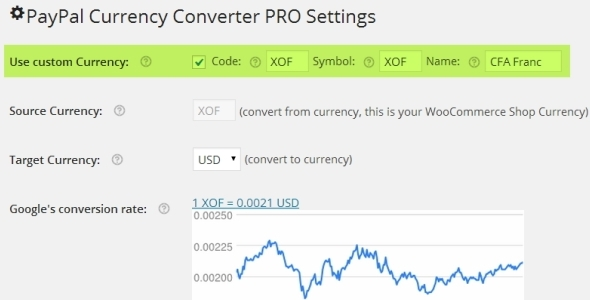
During checkout, PAYPAL CURRENCY CONVERTER PRO FOR WOOCOMMERCE plugin converts any given WooCommerce shop currency to allowed PayPal currencies for PayPal’s Payment Gateway. It automatically converts the shopping cart total, tax and shipping cost using Exchange Rates obtained from Open Exchange Rates API, Yahoo Finance, or European Central Bank. This plugin supports PayPal Digital Goods Gateway, PayPal Advanced, etc.

6. PayPal Plus for WooCommerce

PayPal Plus for WooCommerce plugin integrates all PayPal Plus payment methods(PayPal, Direct debit, Credit card and Pay upon invoice) into your WooCommerce shop. It is only available to customers who have their registered office in Germany. Other customers can make use of the payment methods PayPal and Credit card.

7. PayPal Pro for Woo

PayPal Pro for Woo plugin allows you to add PayPal Pro to your WooCommerce store.

Major features of this plugin are,
– PayPal testing through SandBox.
– Enable PayPal credit.
– Enable Send Item Details.
– Enable PayPal IPN

8. Paypal.me – An offline payment gateway

Using Paypal.me plugin, you can accept payments using PayPal.Me link or PayPal Email. This is an offline payment gateway and it also helps in collecting user’s information which can be used for marketing purpose.

9. PayPal Pro Payflow for Woo

PayPal Pro Payflow for Woo plugin integrates PayPal Pro Payflow gateway to your WooCommerce store.

Features offered by the Plugin
– PayPal testing through SandBox.
– Enable PayPal credit.
– PayPal Soft Descriptor.

10. PayPal for WooCommerce

PayPal for WooCommerce is a free plugin which helps to accept PayPal, Credit card and Debit card payments. It supports WooCommerce Payment Tokens. Also, it supports the following payment options,

– PayPal Website Payments Pro 3.0 (DoDirectPayment)
– PayPal Payments Pro 2.0 (PayPal Manager / PayFlow Gateway)
– PayPal Plus (Germany, Brazil, Mexico)
– PayPal Payments Advanced
– PayPal REST Credit Card Payments
– PayPal Braintree Credit Card Payments

11. PayPal Website Payments Pro for WooCommerce

PayPal Website Payments Pro for WooCommerce plugin allows you to accept Debit and Credit card payments from customers directly on checkout page via PayPal Payments Pro.

Features
– Adds Charge Id and Charge time to Order Note.
– It can work with test/sandbox mode.
– It does not need SSL.
– It does not store Credit Card Details.
– It is designed to work Only On REST API
– It supports to accept card types with dynamic card logo at checkout.

12. PayPal Multiple Emails for WooCommerce

PayPal Multiple Emails for WooCommerce allows you to accept PayPal Payments using second PayPal email address. This plugin also works with PayPal Standard.

13. PayPal REST Credit Card for WooCommerce

PayPal REST Credit Card for WooCommerce plugin allows you to accept credit card payments using PayPal REST API. To Configure this plugin you need to enable PayPal Credit Card Rest in WooCommerce settings and need to fill the required PayPal Credentials.

Features of this plugin are
– PayPal testing through SandBox.
– Enable PayPal credit.

14. PayPal Donations

PayPal Donations plugin let you add PayPal donation shortcode and sidebar Widget to WordPress. Using this plugin, you can use your own donation button on your site.

15. PayPal Buy Now Button

This PayPal plugin will allow you to sell products or services on your website using a PayPal Buy Now Button. It allows you to set cancel payment URL, successful payment URL, how the PayPal window opens, PayPal authorization mode – sale or authorize, etc.

16. WooCommerce PayPal Payouts

WooCommerce PayPal Payouts is a premium plugin developed by FantasticPlugins. Using this plugin, payments made by the user can be split into multiple PayPal Accounts(Maximum of 500 Receivers) per transaction. It works with the WooCommerce supported Payment Gateways.

It supports three types of Payouts. They are,
1. Automatic Payouts – The commission percentage specified by the admin will be automatically sent to the users.

2. Manual Payouts – The site admin has to manually send the commission to users.

3. Scheduled Payouts – Site Admin can schedule the commission for the users.

Features to be noted in this plugin are listed below,
– Allows to split the payments between a Maximum of 500 PayPal Accounts
– Payouts settings can be configured at Product Level, Category Level, and Global Level
– Payouts enabled products can be purchased through any Payment Gateways/Specific Payment Gateways
– Payouts settings can be hidden for specific User Roles
– Payouts can be processed for Renewal Orders[requires SUMO Subscriptions Plugin]

To know more about Popular WooCommerce Payment Gateways please check Top 25+ Popular WooCommerce Payment Gateway Plugins.

Top 25+ Popular WooCommerce Payment Gateway Plugins

Payment Method is critical for any e-commerce shop. Customers often abandon their purchase because their preferred payment gateway is not available. Check out the Top 25+ Popular WooCommerce Payment Gateway Plugins.

1. WooCommerce PayPal Express Checkout Payment Gateway


WooCommerce PayPal Express Checkout Payment Gateway is a free WooCommerce plugin which allows your customers to pay for the order directly from the cart page.


2. WooCommerce PayPal Adaptive Split Payment


WooCommerce PayPal Adaptive Split Payment gateway is a premium plugin which allows you to split the payments made by the buyers to multiple PayPal accounts. The amount can be split between a maximum of 6 receiver accounts. Different commission percentage can be given for each receiver.


3. WooCommerce Stripe Payment Gateway


WooCommerce Stripe Payment Gateway is a free plugin using which users can make payments by giving their credit card number, expiry date and CVC securely from the site itself. It accepts Visa, MasterCard, American Express, Discover, JCB, Diners Club and more cards. WooCommerce Stripe Payment Gateway also supports Apple Pay.


4. SUMO Subscriptions – WooCommerce Subscription System


SUMO Subscriptions – WooCommerce Subscription System is a premium subscriptions extension for WooCommerce. SUMO Subscriptions comes with three inbuilt payment gateways which can be used to charge normal products as well as subscription products. The inbuilt payment gateways in the plugin are as follows

  • SUMO Subscriptions – PayPal Adaptive Payment Gateway
  • SUMO Subscriptions – PayPal Reference Transactions Payment Gateway
  • SUMO Subscriptions – Stripe Payment Gateway

Continue reading